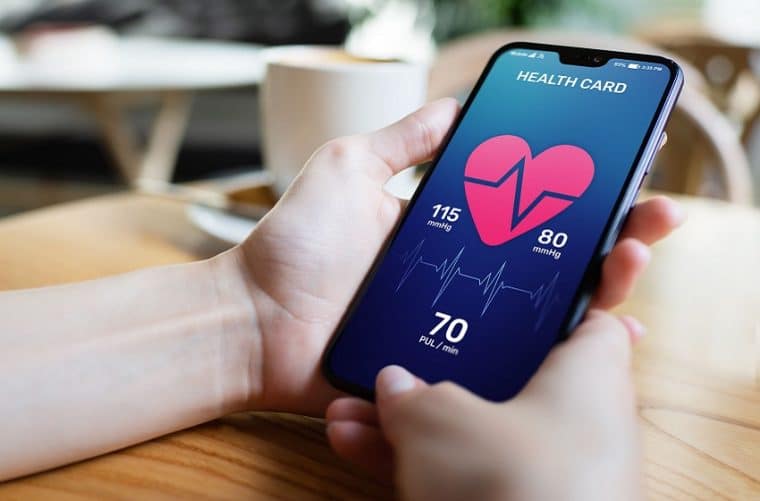
Starting with what causes the most confusion: cell phones do not measure glucose. There is no smartphone with a built-in glucose sensor, and no app can replace the test done with a glucometer or the guidance of your healthcare professional. The device—using a test strip and a drop of blood, or a continuous monitoring sensor prescribed by a doctor—measures the blood sugar. What a cell phone does very well is the next part: storing these measurements, organizing them into graphs, reminding you when to take your medication, and generating a report for your appointment.
This article lists five real diabetes tracking and monitoring apps available in official app stores. None of them measure blood glucose levels. They all serve to eliminate your reliance on a crumpled notebook in a drawer and allow you to arrive at the doctor's office with your complete medical history at hand.
Why can't my cell phone measure blood glucose?
Every now and then an app pops up asking you to touch your finger to the camera with the flash on, promising your glucose level in seconds. What the camera captures is the variation in light caused by the blood pulsation in your finger. At most, this allows you to estimate your heart rate. Glucose cannot be read by a cell phone lens, microphone, or screen.
So treat this as a safety warning, not a technical detail: any app that displays a blood glucose value without you having measured it with a device is showing a number with no clinical value. Someone adjusting their insulin dose based on that is the kind of mistake that sends someone to the emergency room. Use the app to record the reading, and the device to measure it.
The advantages of using a blood glucose monitoring app.
A digital diary doesn't change the treatment on its own, but it changes the quality of the information. After a few weeks of recording, patterns begin to appear that no one can spot offhand: the value that always goes up after a certain dinner, the drop on afternoons when you go for walks, the time when you usually forget to take your medication. Furthermore, the exported report saves half the consultation time—instead of trying to remember, you can show it.
It's worth reiterating the limitation of this tool: the app organizes data. It doesn't diagnose, adjust dosages, or tell you if everything is alright. That assessment is the responsibility of a healthcare professional.
The 5 best apps for tracking glucose levels on your phone.
1. mySugr
Published in stores as “mySugr — Control your diabetes!”, it is one of the most widely used diabetes diaries in the world. With it, you can record blood glucose levels measured with a glucometer, insulin administered, meal carbohydrates, and physical activity, all on a single screen.
The app creates graphs, shows an estimate of glycated hemoglobin based on your data—an approximate reference that does not replace a laboratory test—and exports reports for consultation. It is available on Google Play and the Brazilian App Store, free to download, with in-app purchases: the PRO version is a paid subscription.
2. Glucose Buddy
The Glucose Buddy app from Azumio is ideal for those who want to monitor their blood glucose levels in conjunction with their daily routine. It records measured values, meals, exercise, and medication, and transforms this data into easy-to-interpret graphs and reports.
The basic version is free on Google Play and the Brazilian App Store, with in-app purchases. The Apple store also offers a separate, paid version, Glucose Buddy+ — check the name before installing to avoid downloading the wrong one.
3. Glooko
Glooko is widely used by clinics and healthcare services to monitor patients remotely. Its key advantage is integration: it imports data from various glucometer and insulin pump models, eliminating much of the manual data entry. It also accepts insulin, carbohydrate, and physical activity data, and generates reports in a format that medical staff are accustomed to reading.
Two honest caveats. First: at the time of this publication, Glooko is free on Google Play for Brazil, but it doesn't appear in the Brazilian App Store — iPhone users need to choose another option. Second: automatic import depends on your device model, so check compatibility before relying on it.
4. Diabetes:M
From Sirma Medical Systems, Diabetes:M is the most detailed on the list. It records blood glucose, food intake, insulin doses, weight, and even blood pressure readings from your blood pressure monitor, and provides complete and customizable reports to share with your doctor. It also includes a bolus calculator for those who use insulin and have been instructed to perform this calculation.
It's free in both stores, with in-app purchases to unlock advanced features. It's the best choice for those who like to track numbers in detail — and perhaps too much for those who just want to note the value and close the app.
5. Glyc – Diabetes and Blood Glucose
The Brazilian option on the list, in Portuguese and designed for our treatment routine. Formerly known as GlicOnline, Glic allows you to record blood glucose levels, insulin doses, carbohydrates, and medications, with reminders at the times you set, as well as graphs and reports to take to your appointments.
It's free on Google Play and the Brazilian App Store. Because it doesn't have excessive fields and is entirely in Portuguese, it tends to be the easiest to maintain on a daily basis — and a diary that we keep is worth more than a completely abandoned diary.
What these apps do (and what they don't do)
In general, diabetes tracking apps offer:
- Record of measurements taken with the glucometer, including date and time.
- Synchronization with compatible devices, when the model allows it.
- Charts and reports for the period to take to the consultation.
- Record of insulin, carbohydrates, medications, and physical activity.
- Medication and dosage time reminders
- Sharing medical history with the healthcare team
And what do they no They do: measure glucose Using a cell phone, diagnosing diabetes, adjusting insulin doses on your own, or determining if a value is safe are all clinical decisions and remain with the professional who is monitoring your case.
Frequently Asked Questions (FAQ)
1. Does the cell phone measure glucose? No. No smartphone has a sensor for that. The measurement is taken with a glucometer or a continuous monitoring device recommended by a professional; the app only records the result.
2. What are the best apps for tracking glucose levels? The five on this list are: mySugr, Glucose Buddy, Glooko, Diabetes:M, and Glic – Diabetes and Blood Glucose.
3. Can I sync the app with my glucometer? It depends on the model. Devices with Bluetooth usually send the data directly to compatible apps, such as Glooko; in other cases, the value is entered manually.
4. Are these apps free? All are free to download. mySugr, Glucose Buddy, and Diabetes:M have in-app purchases to unlock extra features, and Glucose Buddy+ on the App Store is a separate paid app.
5. Can I share the data with my doctor? Yes. They all allow exporting or sharing reports. It's worth asking during the consultation which format the professional prefers to receive them in.
6. Do they all work on iPhone? No. At the time of this publication, Glooko is only available on Google Play for Brazil and does not appear in the Brazilian App Store. The other four are available in both stores.
Conclusion
In short: your cell phone doesn't measure your blood glucose, but it's a great place to store it. The five apps above transform scattered measurements into an organized history, with graphs, reminders, and reports ready for consultation — and in practice, this usually yields more than any promise of magical measurement by the camera.
Always download from Google Play or the App Store, never from APKs of unknown origin: this contains health data. And let's conclude as we began — this content is for informational purposes only and does not replace consultation, diagnosis, or treatment with a healthcare professional. Did you find any outdated information on this page? Contact us at contato@moblander.com.