There's a common misconception about these apps: none of them "detect" radar. A real radar detector is an electronic device that picks up the wave emitted by the speed enforcement equipment—and in Brazil, devices that interfere with or block this enforcement are prohibited. Cell phones don't do that, nor do they attempt to.
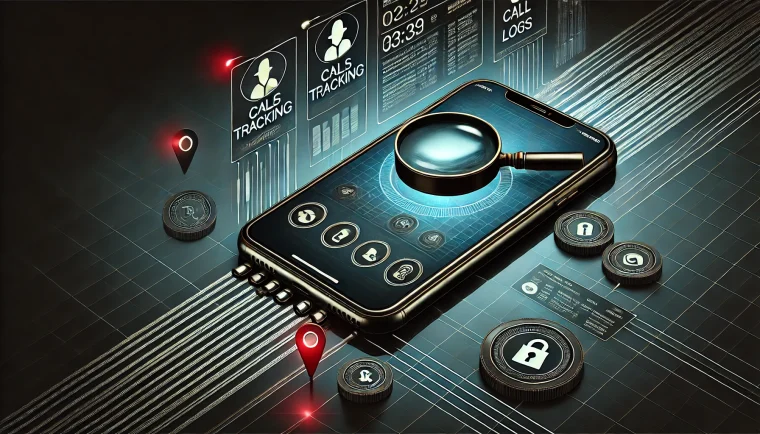
What these apps do is much simpler and completely legal: they cross-reference your GPS location with a database of already mapped speed cameras and warn you when you are approaching one. It's a navigation function, not a sensor function. In this article, we explain how this mechanism works, what the limitations are, and which apps are worthwhile in Brazil.
How does radar alert work on your cell phone?
Every app in this category maintains a database with the coordinates of speed cameras. This database is compiled from public data from traffic authorities, the company's own surveys, and, in most cases, reports submitted by drivers themselves.
While you drive, the app compares your position to GPS With this list, when the distance to a registered point becomes short, it triggers a warning on the screen and by voice, usually along with the maximum speed allowed on that stretch of road. It's the same logic as a "dangerous curve ahead" alert.
This means that the real usefulness of the feature isn't to avoid fines — it's to remind you of the speed limit on a stretch of road you might not be familiar with. Those who drive within the speed limit don't need to swerve around any speed cameras, and that's exactly how it makes sense: the alert acts as a reminder to pay attention, especially on unfamiliar highways, city entrances, and construction zones where the speed limit changes suddenly.
The limitations that nobody talks about
Since everything depends on a database, the warning only exists if the radar is registered. Mobile radar, the kind installed on a tripod or inside a patrol car, changes location every day and is rarely at the base—at most it appears for a few minutes if another driver has just reported it. New electronic enforcement also takes time to be entered into the registry.
Add to that the natural error of GPS on overpasses, tunnels, and areas with tall buildings, and it becomes clear that the alert is a help, not a guarantee. Treating the app as if it were a shield against fines is the quickest way to get one.
waze
Waze is the most used app in Brazil and has the most active user base because it's fed by the community in real time. Users report registered speed cameras, accidents, stopped vehicles, roadworks, and potholes, and these warnings appear to those behind them. It also shows the speed limit and warns you when you exceed it—in practice, this is the app's most useful feature because it applies to any stretch of road, with or without speed cameras. It's important to clarify what it is not: no app here is designed to evade law enforcement, and the alcohol test required by the "Lei Seca" (Brazilian law against drunk driving) has nothing to do with speed limits.
It's free and available for android It is iphone.
Google Maps
Many people don't know this, but Google Maps also displays speed limits and indicates speed cameras in much of Brazil, in addition to allowing drivers to report new locations. Coverage may vary depending on the region and the app version, so it's worth checking if the feature appears on your route.
The advantage is that you don't need to install anything else: it's free and comes pre-installed on most devices. android, with a version for iphone.
Radarbot
Developed by the Spanish company Iteration Mobile, Radarbot is the most specialized on the list: it was created to alert users about speed cameras and does so in the background, on top of another navigation app. Its database combines official data with community alerts and covers fixed, traffic light, and sectional speed cameras—the permanent points, which are precisely the only ones that can be registered with any reliability.
It has a free version with ads and a subscription that removes ads and unlocks extra features. It's on... android and in iphone.
Sygic
Sygic is a Slovakian GPS navigator whose distinguishing feature is its offline maps: you download a map of Brazil and it guides you without internet access, which is very helpful on highways with no signal. The radar alert is built into the navigation, along with speed limit warnings.
Installation is free, with advanced features sold via subscription. Available for android It is iphone.
TomTom
The Dutch company TomTom, known for its navigation devices, maintains a free map and traffic app that provides radar and speed limit alerts from its own frequently updated database. It's a lightweight alternative for those who only want the alert and route.
It is available for android It is iphone. It's worth checking coverage in your area before adopting it as your primary service.
How to choose between them
Coverage in your area
A large global database doesn't necessarily mean a good database in your city. Run the app for a few days on a route you know well and see if the speed cameras you already know exist show up.
Active community
Since the data depends on people reporting it, an app with many users in Brazil tends to be more up-to-date. That's Waze's biggest advantage here.
Voice alert and security
Always prefer the audible alert. Looking at the screen while driving is an infraction and is dangerous — the Brazilian Traffic Code prohibits handling a cell phone while driving. Set your route before leaving and leave the device in its holder.
Free or paid version
All apps The apps on this list work for free. Subscriptions remove ads and unlock extras like offline maps and custom voices. Try the free version before subscribing to anything.
Conclusion
In summary: the cell phone doesn't detect speed cameras, it consults a map. The warning comes from a database cross-referenced with GPS, works well for registered fixed speed cameras, and is unreliable for mobile speed cameras. Understanding this, you use the tool for what it is — a reminder of the speed limit in an unfamiliar area.
And it's worth stating the obvious: speed limits don't exist to generate fines; they exist because speed is the most significant factor in the severity of an accident. Driving within the speed limit solves the problem at its root, with or without an app. Choose the one with the best coverage in your area, leave the voice alert on, and keep your phone in its holder.
How to choose between the options
- Permissions that the application requests. It's the quickest test of reliability. A flashlight app that asks for contacts and location doesn't need that to work.
- Does the system already do that?. Android and iOS both come with built-in flashlight, recorder, document scanner, meter, and QR code reader. It's worth checking before installing yet another app.
- Billing model. Check if it's free with ads, a one-time payment, or a subscription. Subscriptions for simple tasks rarely make sense.
- Update frequency. An app that hasn't been updated in over a year is likely to break with the next system version.
What these apps don't do
This is the part that almost no list mentions, and it's precisely what separates expectation from result.
- They are not a substitute for professional equipment. Cell phone sensors are for estimation, not for technically precise measurements.
- Apps that promise impossible functions are often advertising platforms, and some request permissions they shouldn't.
- Features that rely on missing hardware won't work via software. Without the sensor, no application can solve the problem.
- No app actually increases battery capacity — what you can do is reduce consumption by turning off features.
Frequently Asked Questions
Are these apps safe?
Check the permissions and the number of reviews. Any utility that requests access to contacts, messages, or accessibility without a clear reason should be avoided.
Does it work without internet?
Those that process locally, yes. Those that rely on a server require a connection and send their data externally.
Does it consume a lot of battery?
It depends on what's running in the background. Check the usage per app in the settings and restrict anything that's excessive.
How do I know if an app is trustworthy?
Look at the developer, number of reviews, date of last update, and permissions requested. Those four together say a lot.
Do I have to pay to use it?
In most utilities, no. The free version with ads works fine, and the paid version is for removing ads.