
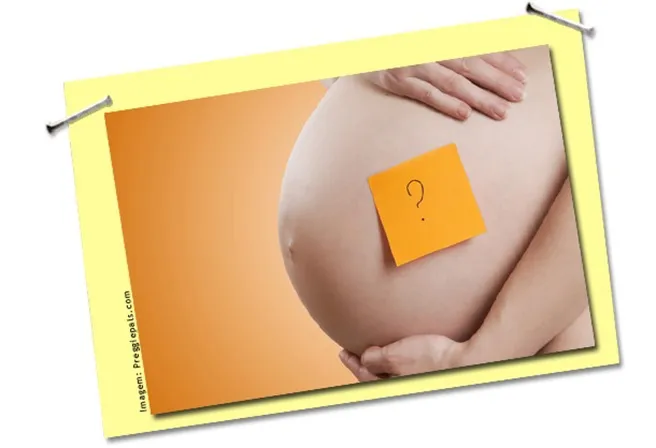
Let's start with the most important thing: No app can determine the baby's gender.. There is no app that can determine the sex of a baby based on a photo of the parents, the date of their last menstrual period, the shape of their belly, or their heartbeat. The baby's sex is determined at the moment of conception and can only be identified through an examination: the morphological ultrasound, which usually reveals the sex around the 16th week of gestation (sometimes a little earlier, depending on the baby's position), or the NIPT blood test, which analyzes fetal DNA circulating in the mother's blood from the 9th or 10th week.
The "baby generator" apps that exist in the stores are playing around with image editingThey combine facial features from two photos and produce a fabricated face. They have no relation to genetics and don't predict anything—neither the sex nor the child's actual appearance. They're just for laughs, and nothing more.
So, what does your cell phone do that's useful while you wait for the test to reveal the sex of your baby? Quite a lot. Below are some examples. apps That really help during pregnancy: week-by-week tracking, appointment and exam schedule, vitamin reminders, kick counter, baby registry, and pregnancy diary.
How is the baby's sex really found out?
There are two paths, both undertaken during prenatal care:
- Ultrasound: From around 16 weeks onwards, the professional can visualize the baby's genitalia. Before that, the structure is still poorly differentiated, and guessing has a high chance of error. The information from the second-trimester morphology ultrasound is usually reliable.
- Blood test (NIPT): From the 9th or 10th week, the laboratory looks for fragments of the baby's DNA in the mother's blood. It is a private, more expensive test, usually requested when chromosomal abnormalities are also to be screened.
Anything outside of that—Chinese chart, belly shape, nausea, "rapid" heartbeat, app with parents' photos—is guesswork. It's only right half the time simply because there are two possible answers.
Apps that really help during pregnancy
My Pregnancy - Week by Week
The Wachanga app (com.wachanga.pregnancy, The app (available for Android and iPhone) shows what happens each week of pregnancy, including the estimated size of the baby and expected changes in the body. It has a to-do list for each trimester that includes the necessary exams—including the ultrasound where the sex is usually revealed. It also features a kick counter and weight tracking.
Pregnancy +
Classic of the category (com.hp.pregnancy.lite), includes a pregnancy calendar, articles by week, and a contraction counter, baby registry list It's a diary with space for belly photos. When the sex is confirmed by the ultrasound, it can be registered in the baby's profile, and the app will then organize baby essentials suggestions from there.
BabyCenter: Pregnancy and Baby
BabyCenter (com.babycenter.pregnancytrackerIt explains each step with text and video, has a checklist of prenatal exams, and chat groups bringing together pregnant women with the same expected delivery date—where, incidentally, the topic of "gender reveal parties" dominates a good part of the discussions. Free.
Glow Nurture
Glow Nurture (com.glow.android.nurtureThis is a structured pregnancy diary: symptoms, mood, weight, blood pressure, and baby's movements are recorded by date. At your appointment, instead of trying to remember everything, you show the diary to your obstetrician.
Medisafe: Vitamin reminder
Folic acid and ferrous sulfate are part of the prenatal routine and need to be taken regularly. Medisafe (com.medisafe.android.clientIt alerts you at the right time, marks the dose as taken, and even keeps track of the blister pack inventory.
And what about apps that show you "the face of your future baby"?
They can be used, provided the right expectation is met: they are entertainment filters. They take two photos, average the features, and generate an image—the same type of effect as any AI-powered editor. None of them analyze "genetic code," as some descriptions suggest, and none tell you the baby's sex.
If the idea is to have fun with the family while waiting for the test results, that's fine. Just don't use the results to buy baby clothes, choose a name, or plan a gender reveal party—wait for that, see the ultrasound.
Finally, it's worth reiterating: None of this replaces prenatal care or guidance from a healthcare professional.. Checkups, ultrasounds, and routine exams are what truly monitor the health of the mother and baby—and it is during these appointments that the sex will be reliably revealed.
See too:
Listen to free music on mobile
Apps to make free virtual invites
Best Apps to Listen to Praises
What to look for before installing
- What the app actually does. Compare the description on the store page with recent reviews. The difference between the two often reveals what the advertisement omits.
- Billing model. Check if it's free with ads, pay-per-view, or subscription-based — and the price range for in-app purchases.
- It works offline. If the task is local, requiring a connection means that your data is being sent to a server.
- Permissions requested. An app should only request what it needs to function. Requests for access to contacts, messages, or accessibility without reason are a red flag.
What these apps don't do
Before installing, it's worth managing your expectations: there are things that no app in this category delivers.
- They can't do what the device's hardware doesn't allow. A feature without a corresponding sensor doesn't exist in software.
- The free version often limits exports, applies a watermark, or restricts the number of uses per day.
- A high rating in the store doesn't guarantee quality: it's worth reading recent, negative reviews.
- An app that promises impossible results usually exists only to display advertising.
Frequently Asked Questions
Is the app free?
Generally, the download is limited or may include advertising. Check the price range for in-app purchases on the store page.
Does it take up a lot of space?
The size appears in the store, but it increases with use due to caching. Clearing the cache frees up space without losing settings.
Is there a native alternative?
It's worth checking out. Android and iOS come with several ready-made functions that eliminate the need to install another app.
Does it consume a lot of battery?
Check the usage per app in the settings and restrict background activity for any that are high.
Does it work without internet?
It depends: those that process on the device work offline; those that depend on a server require an internet connection.
Step-by-step to get started
- Check if it works offline. If the task is local but still requires a connection, your data is being sent to a server.
- Review your consumption after one week. In the settings, view battery and data usage by app and restrict any that are high.
- Check what the app asks for during installation. Compare the permissions with what it actually does. It's the quickest test of trustworthiness.
- Try the free version before you pay. Check if the feature you want is outside the free plan—it usually is.
Traps that catch almost everyone
- Choosing based on average rating without reading recent negative reviews.
- Installing multiple applications that do the same thing, all running in the background.
- Ignore the fact that the free version limits exports or applies a watermark.
- Believing in a feature that the device's hardware does not support.
Before installing: what's already on the device
It's worth opening the search in your phone's settings before installing: Android and iPhone already have several built-in functions, and the native app usually consumes less battery and doesn't ask for any permissions beyond what's necessary.



