
Indeed, who does not like to cook something tasty and tasty for the family, right? Fortunately, there are recipe apps that can facilitate this process.
Therefore, to help you understand more about the best recipe apps, I prepared today's article on this topic. All the apps mentioned here are available in official app stores and are free to download. Interested in learning more? Then follow along with me now!
The 7 best recipe apps
Tastemade
Tastemade is known for its short cooking videos that go viral on social media. On the app, the format is streaming: cooking shows, food series, and documentaries about food and travel, with step-by-step instructions shown on screen.
Here's the part that almost no one mentions: the download is free, but Only the four live streaming channels are open., In the style of TV. The on-demand catalog — specifically the programs and documentaries you choose when you want — is included in the subscription. Tastemade+, sold within the app. The rating on Google Play is also modest, 3.1 out of 5, with a large portion of the complaints focusing on this point.
In other words: it works well for those who want to leave it running and get inspiration, like a cooking channel playing in the background. For finding a specific recipe while cooking, the following apps on the list are a better option. Available only for Android in Brazil. Tastemade does not publish the app on the Brazilian App Store.
Everything Delicious
This is the largest collection of recipes in Portuguese. It contains tens of thousands of dishes submitted and rated by the community itself, organized by category: desserts, rice, stews, soups, meats and salads, as well as special selections for Christmas, Valentine's Day, Easter and June festivals.
The strong point is the comments: you can see who has already tried it, what went wrong, and which substitutions work. Free, with ads, for Android and iPhone.
Cookpad
Cookpad focuses on real homemade recipes, the kind someone's grandmother used to make. Its search function is what sets it apart: you type in the ingredients you already have at home, and the app tells you what you can make with them.
It also allows you to save favorites, create your own recipe book, and publish your recipes. Free for Android and iPhone, with an optional subscription for extra search features.
That Recipe
Brazilian app with a wide variety of recipes and simple navigation. It offers everyday recipes, quick options for the week, desserts, and dishes for air fryers, which is currently one of the most popular searches in the kitchen.
You can filter by dish type or preparation time, which is very helpful on busy days. Free for Android and iPhone, with ads and in-app purchases.
Globo Recipes
This collection gathers recipes featured on Globo's cooking shows, with organized information on ingredients, preparation method, and yield. You can explore by chef, program, or type of dish.
One of the most useful features is the suggestion of new dishes, which helps when you're unsure what to make for lunch. And if you don't like the recipe, you can simply go back and choose another from the list. Free for Android and iPhone.
moblander.com
Tasty Recipes
Tasty is the app for those top-down videos where the entire recipe happens in one minute. It features thousands of recipes with step-by-step video instructions, filterable by ingredient, time, and occasion.
It also creates shopping lists from the recipes you've saved and suggests meal plans for the week. An honest warning: it's a cooking app, not a nutritional tracking app—it doesn't replace the guidance of a nutritionist. Free for Android and iPhone, with in-app purchases.
YouTube
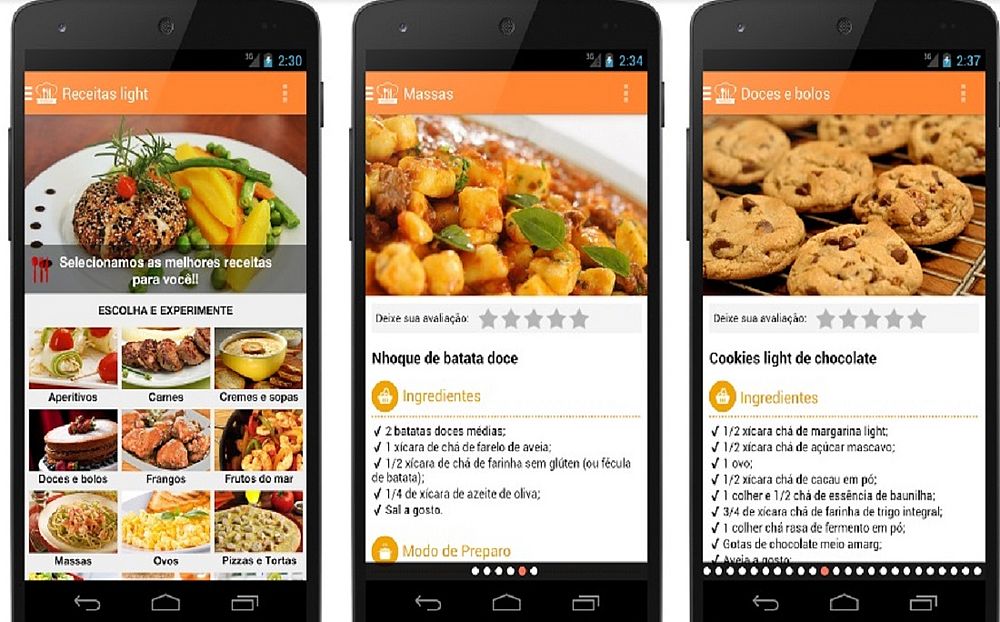
In fact, the YouTube app is present on virtually all cell phones. In it, you can find a multitude of recipes and channels that allow you to find exactly the dish or dessert you want to make.
Here you're sure to find the recipe channel that best suits your taste, from everyday basics to the most elaborate confectionery. And since many channels publish the ingredient list in the description, you can check everything before going to the market.
How to choose the right recipe app for you
- Do you prefer reading or watching? Those who prefer text-based content will find TudoGostoso, Cookpad, and Receitas Globo more appealing. Those who learn by watching will prefer Tastemade, Tasty, and YouTube.
- Can you cook with what you have at home? The Cookpad ingredient search solves it.
- Short on time? Look for filters by preparation time, available in most apps on the list.
- Bad internet in the kitchen? Save the recipes to your favorites before you start, or take a screenshot of the ingredient list.
Like to know more about the best recipe apps? So be sure to follow the others articles about apps, I have lots of other news for you!
Before deciding, check these points.
- File origin. Always install from the official store. APK files from random websites are the main vector for malware on Android.
- Recent reviews. Read the newest release notes, not the old ones: that's where problems that arose in the latest versions appear.
- Last updated. An application that has been dormant for more than a year is likely to break in the next system version.
- Space required. Check the size and available space beforehand. Installations interrupted due to lack of space often leave residue.
What these apps don't do
Every category has a limit, and knowing this one's limit saves time and money by avoiding those who promise more than what's available.
- There is no legitimate free version of a paid app. What circulates as a 'mod' or 'unlocked premium' usually comes with malware.
- Disabling Play Protect to install something is precisely the step that opens the device up to banking trojans.
- An app removed from the official store was usually taken down for violating policy—reinstalling it from elsewhere will recreate the problem.
- Downloading does not guarantee compatibility: features that rely on missing hardware will not work, even if the app is installed.
Frequently Asked Questions
Is it safe to install APKs from outside the app store?
It's not recommended. The store verifies applications; a standalone file doesn't go through this check.
The app isn't showing up in the store search results. What now?
It may be unavailability in your region or incompatibility with the device. It's worth looking for an official alternative.
How do I free up space for installation?
Uninstall what you don't use, clear the cache of larger apps, and move photos to the cloud.
Does installing too many apps slow down your phone?
What really weighs the load is what's running in the background. Check the usage per app in the settings.
Can it be installed on a memory card?
Some devices allow you to move parts of the app, but performance usually drops.
How to truly take advantage of it.
- Review the permissions during installation. Compare this to what the app actually does. Accessibility or administrator requests deserve extra attention.
- Check out the developer. The name appears right below the title. Copies use a name similar to the original.
- Confirm there is enough space beforehand. Installations interrupted due to lack of space often leave behind residue that needs to be cleaned by hand.
- Read the recent reviews. Sort by newest: that's where the problems with the latest versions appear.
Common mistakes that are costly
- Looking for a "mod" or "unlocked premium" version of a paid app? It often comes with malware.
- Install from a link received via message, even if it comes from an acquaintance.
- Reinstalling an app that has been removed from the store—it's usually because it was removed for violating policy.
- Disabling Play Protect at the request of a website — that's precisely the step that unlocks the device.
The alternative that is already included in the system
The Play Store itself has built-in security verification: Play Protect analyzes what's already installed and can be manually activated at any time through the store's menu. On the iPhone, the App Store is the only option provided, which significantly reduces this type of risk.



