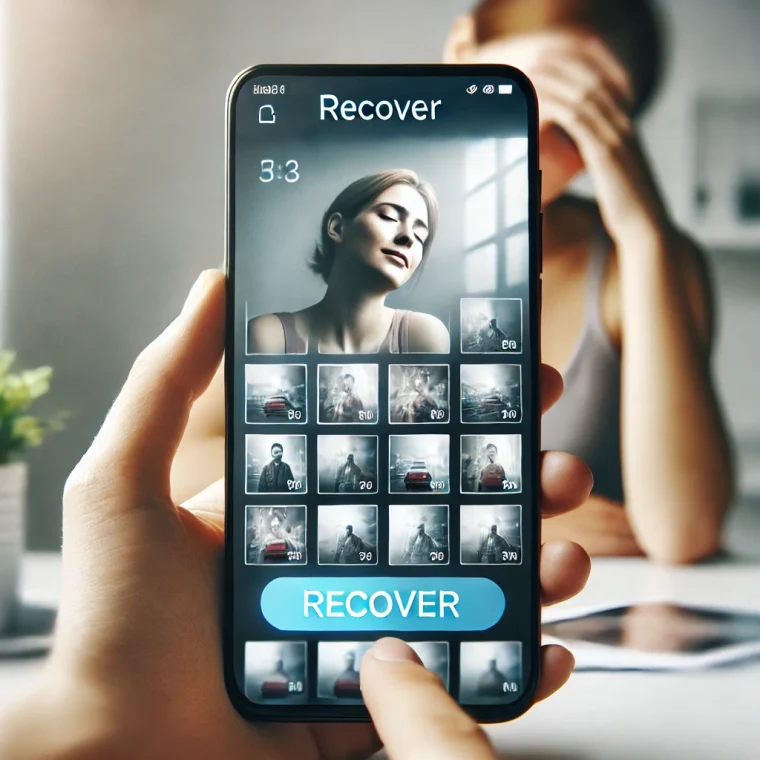
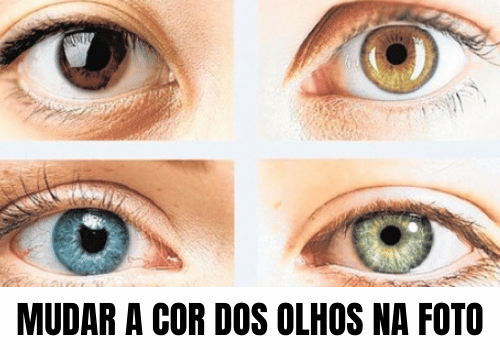
A good tip for those who like to edit photos It's about discovering apps that change eye color. This way, you can add more originality to your photos. social media. Or even just for fun and see how it would look with a different look.
Today, there are several applications that allow you to make the most varied changes to your images. In this way, edit images It has become a more practical task, since most of these applications bring together several functions in a simple interface. Moreover, despite their ease of use, many platforms deliver near-professional results.
O picsart, For example, it's a very complete platform that allows you to edit images in various ways. Therefore, it's worth learning more about these apps, especially the options for changing eye color. Because, given the vast number of choices in the store, knowing which ones actually work saves valuable time. A word of warning: both apps mentioned here are free to download, but neither is entirely free—both have paid features, and we explain exactly what they are.
Change eye color in Picsart
When it's about apps to change eye color, the picsart It cannot be ignored. That's because the app is one of the most complete photo editing platforms available on mobile, with features reminiscent of professional computer programs. Even so, the interface of... app It's quite user-friendly, and even people with no editing experience can use the platform without any problems.
In this sense, any image can be modified in many ways using the picsart. editing, application effects Ready-to-use filters are available. Among these tools is a face retouching tool, which includes changing eye color in a photo.
To do this, open the photo from your gallery (or take a selfie right then), find the retouching/beauty area of the editor and choose the eye tool. The app automatically recognizes the eye area and applies the new color, with an intensity control so the result doesn't look artificial. A word of warning: the exact name of each menu changes with each app update, so look for the face icon, not the button name.
Picsart is available on Google Play and the App Store and is free to download. The listing on the Play Store shows... Contains advertisements It is In-app purchasesSome filters and effects are reserved for Picsart Gold subscribers, which also removes advertising. You can change your eye color for free, but you'll come across content marked as premium while browsing.
View on Google Play · View on the App Store
Eye Color Mixing: the app dedicated solely to that.
Although Picsart is a good option, some people prefer something simpler that only allows for the exchange of eye color and nothing more. That's where the Eye Color Mixture, published by CrazyLabs — a platform created specifically for this task.
The app's appeal lies in the idea of mixing: instead of choosing a ready-made color from a fixed palette, you combine shades to create your own eye color and apply the result to a photo or camera image. You can adjust brightness, saturation, and how much of the original shade remains visible, which helps the result look natural rather than like a pasted sticker. application It also stands out for being easy to use: it only takes a few taps from start to finish.
The download is free on Google Play, and the app's listing on the store shows... Contains advertisements It is In-app purchases In other words, you see advertising between editions, and some of the content is sold separately. The same developer publishes it on the App Store. Eye Color Mixture, also free to download for iPhone users.
An important detail for those who came here looking for Eye Color StudioThis app, which was very popular a few years ago, is no longer available on Google Play or the Brazilian App Store. If you find the file on APK websites, it's best not to install it—apps not available on the app store no longer receive security updates and don't pass platform verification.
Tips for editing images
- Find a good editing program
- Use filters sparingly.
- Crop the image to improve framing.
- Control the contrast and brightness.
- Avoid combining multiple effects in a single image.
Know how to edit photos with a application It is very useful nowadays, since the use of digital images has become part of almost everyone's routine. Therefore, following some basic tips can make a big difference when... To edit.
In this sense, the first step is to choose a good program to edit the image. It is the case of the application picsart, for example. On the other hand, knowing edit images It also helps when socializing: well-edited photos tend to generate more interaction on social media. Just be careful not to overdo it—when the editing becomes too obvious, the effect is the opposite.
More tools to edit your photos.
You apps have become one of the most important tools in people's daily lives. In this sense, there are also some applications that focus on edition It is image modification. Therefore, it's worth exploring the best options in this segment, whether for simpler touch-ups or more polished edits.
If the idea is to play with appearance beyond what the eyes see, then YouCam Makeup It's a good way: it allows you to test out different makeup, hair color, and hairstyles on... Photos, This is useful both for trying out a look before making a real change and for having fun with friends. It's available on Google Play and the App Store, free to download, and its listing on the Play Store shows... Contains advertisements It is In-app purchases.
Additionally, apps like pixlr present themselves as a great option. Because, like the picsart, It has a variety of tools for modifying images as needed. Even so, it has a simple interface that even people without image editing experience can use. It's also free to download from both stores, with... Contains advertisements It is In-app purchases on the Google Play listing.
Final considerations
To go down apps Changing eye color or making other alterations to photos can be a lot of fun, as it allows you to create more original images to post on social media like Instagram. This way, you no longer need to resort to professional editors to add interesting effects or filters.
Before installing any of them, check the app store's information regarding ads, purchases, and permissions—and be wary of apps that request access to things unrelated to photo editing. To continue discovering the best... tools For digital applications, continue browsing the Moblander applications section. Did you find any outdated information on this page? Write to contato@moblander.com.
What to do, in order.
- Confirm there is enough space beforehand. Installations interrupted due to lack of space often leave behind residue that needs to be cleaned by hand.
- Check out the developer. The name appears right below the title. Copies use a name similar to the original.
- Review the permissions during installation. Compare this to what the app actually does. Accessibility or administrator requests deserve extra attention.
- Always download from the official store. It's the only method with automatic verification. Individual files don't go through this check.
Where most people slip
- Reinstalling an app that has been removed from the store—it's usually because it was removed for violating policy.
- Install from a link received via message, even if it comes from an acquaintance.
- Looking for a "mod" or "unlocked premium" version of a paid app? It often comes with malware.
- Grant all permissions at once without reading.
The alternative that is already included in the system
The Play Store itself has built-in security verification: Play Protect analyzes what's already installed and can be manually activated at any time through the store's menu. On the iPhone, the App Store is the only option provided, which significantly reduces this type of risk.