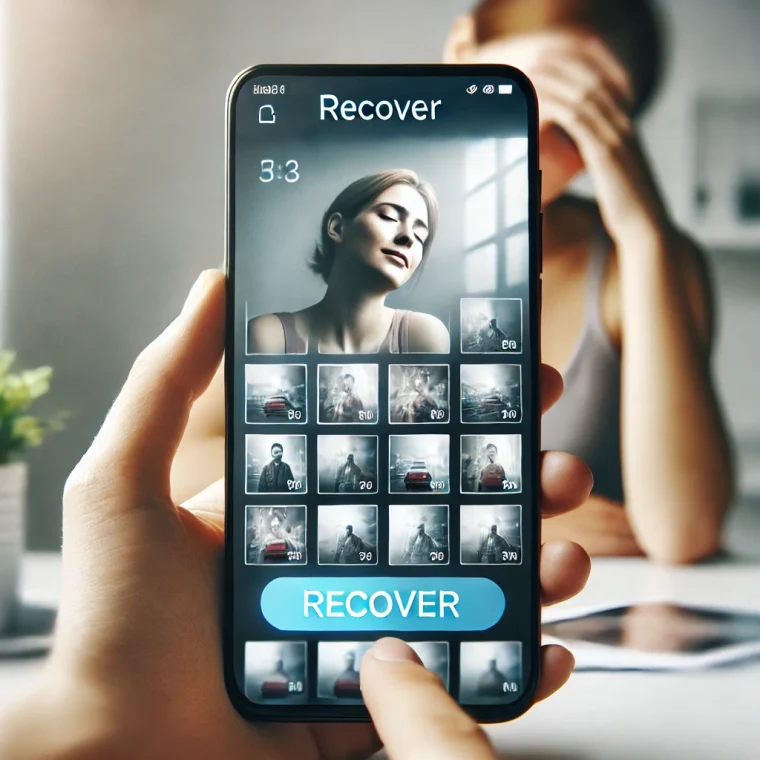
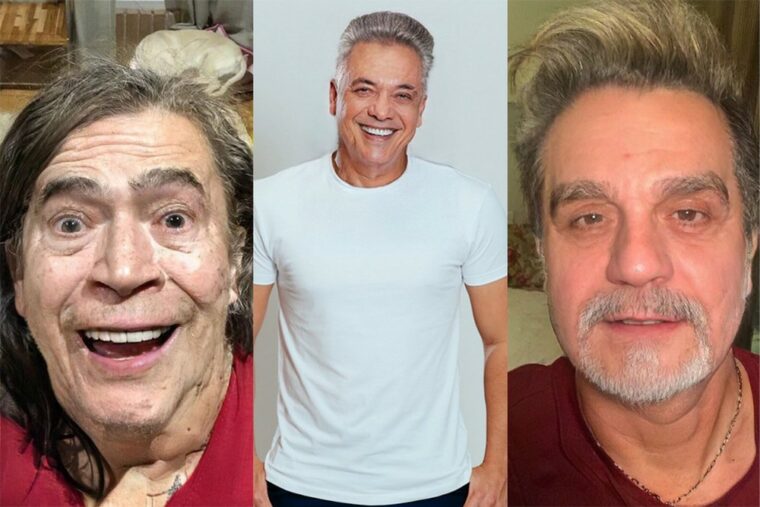
For the photo editing process, several applications were developed with the aim of bringing usefulness and practicality to our daily lives and making it possible to clone and reproduce people in photos. This includes the Split Camera, DMD Clone, Ghost Lens, Clone Camera, and Split Pic apps. Learn how to duplicate people in photos and videos.
Yes, multiple people can appear in a single image, so here we've prepared and selected some of the best apps for recreating people in photos and videos. Most work on Android, and some also work on iOS — Split Pic and DMD Clone, for example, are only for Android. Check out the list below.
Split Camera – Mirror Pic Crop
In split camera, basic tools like color adjustment, image rotation, movement and scaling are available.
In addition to these tools, the app has a montage feature that offers users around 14 layouts and can even triple "your clone" in images like this one.
This app lets you import images from your gallery and capture images from the app itself. It is free to use on Android and iOS.
split pic
split pic and another application free which is currently only available on android. It allows you to capture photos by yourself. app, or you can also do Upload in images from the gallery to start your process edition.
For that, 7 layouts free and more 10 filters can be applied to the image, in addition to adjustments such as color, space between dividers and other details and tools.
If you can't finalize editing at this point, just save the sketch at library available on the platform and finalize it if possible.
Once done, you can choose to save or share on social networks like Facebook, Instagram, etc.
Ghost Lens AR Fun Movie Maker
In this app, photos and videos can be edited as usual using the clips, filters and other tools included in Ghost Lens. But in addition to this common and traditional editing, it also offers what is better known as the “Ghost Edition” tool, where you can create photos or videos that give the illusion that the “Ghost Edition” is all around you.
Ghost Lens is available for free for Android and iOS. There may be in-app purchases, but many tool options are free, like around 100 ghost stickers.
Clone Camera (Here You Are)
Clone Camera is an application that allows you to create montages that users can appear several times in a photo, that is, it allows you to post photos with “your clone”. A very simple editor where you can get professional and fast results.
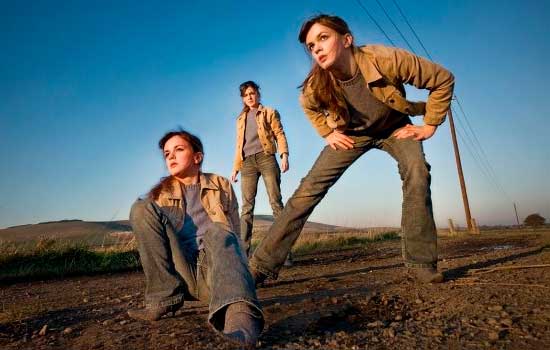
It is available for download at android It is iOS, and the app also offers its version Pro, which publishes more options in its editing tools.
DMD Clone
Finally, we choose the application DMD Clone. It is also free for use only in android.
The program is much more automated, so your users don't have to edit each Photograph one by one, because it takes three to seven images and it actually does it itself as it's taken.
services
Did you like these tips? Share your opinion with us in the comments.
To download the app just search for them on app store or play store.
How to choose between the options
- What is truly free?. Free services are usually supported by advertising and have a smaller catalog. Check if what you want to watch is in the free section or behind the subscription price.
- Cancellation without a commitment period. Streaming services generally don't have a commitment period, but it's worth checking beforehand — and remembering that access continues until the end of the already paid cycle.
- Image quality included. Full HD and 4K are usually included in higher-end plans. Signing up for the basic plan expecting 4K is the most common source of frustration.
- How many screens at the same time?. Cheaper plans often limit you to one screen and standard quality. If the household is watching simultaneously, this is the most significant factor.
What these apps don't do
This is the part that almost no list mentions, and it's precisely what separates expectation from result.
- Quality depends on your connection: no app delivers 4K on an unstable internet connection.
- Subtitles and dubbing in Portuguese vary by title and are not always included with the release.
- Live content, especially sports, is almost never included in free plans.
- The catalog changes every month because licenses expire. A title available today may be removed without notice.
Frequently Asked Questions
How much data does streaming consume?
Quite a lot. At high quality, an hour of video can exceed 1 GB — use Wi-Fi or limit the quality in the app settings.
Can I download movies forever?
No. The download is temporary, it expires, and you need to renew it within the app.
Is it worth subscribing to more than one service?
It depends on what you watch. Since there's no commitment, many people switch: they subscribe for a month, finish the series, and then change.
Are these apps really free?
The free ones are funded by advertising and have a smaller catalog. Those that require a subscription usually only offer a free trial period.
Can I watch it without internet?
Only with prior download, when the service allows it. The file remains within the application, has an expiration date, and does not become a regular video in the gallery.
How to use it in practice
- Adjust the quality on your phone. In the app settings, set the quality to lower for mobile data and high only on Wi-Fi. One hour on high settings will use over 1 GB.
- Start with the free trial. If applicable, mark the day before the end of the period on your calendar. That's when most unwanted charges originate.
- Check the catalog before subscribing. Almost all services let you browse the catalog without an account. Look for three titles you really want to see—if two aren't already there, the plan isn't right for you.
- Configure the profile and rating. Separate profiles prevent one person's recommendations from interfering with another's, and age restrictions protect those who use the same account.
What goes wrong most often?
- Signing up for the basic plan expecting 4K — the highest quality is almost always on the top plan.
- Watching on mobile data in high quality and exceeding the data allowance in two days.
- Installing apps from outside the store that promise a paid catalog for free — that's piracy and often comes with malware.
- Forgetting about the free trial and being charged for the entire year at once.
What the cell phone itself already does.
Before installing yet another app, it's worth remembering that most TVs and cell phones already come with some free pre-installed services, including movies and free-to-air channels supported by advertising. And streaming from your phone to your TV via Chromecast or AirPlay eliminates the need to install the app on the television.
The clone effect is a composition, not a camera trick.
No app duplicates a person from a single photo. What happens is simpler and more artisanal: you photograph the same scene two or more times, changing only the person's position, and the program stitches the pieces together into a single image.
The merging is done using a mask. The app keeps the entire first photo as a base and, over it, reveals only the region of the second photo where the clone appears. If the two images are identical outside of that region, the seam disappears and the result is convincing.
Every visible flaw originates from this. Differences between shots taken outside the clone's area become apparent edges, translucent ghosting, or color banding. The effect is achieved during the photography process, not during editing.
The four parameters that need to remain identical
Between one shot and the next, four things have to remain exactly the same.
- Context. A slight camera movement of just a few centimeters changes the perspective of the background. When overlaying, the background lines don't align, and the seam becomes visible.
- Exhibition. If the person moves to a darker spot, the device automatically brightens the scene. The two photos end up with different brightness levels, and the result has a difference in brightness in the middle.
- Focus. The autofocus may lock onto different distances with each shot. One half of the image comes out sharp and the other half doesn't.
- White balance. It's the color temperature adjustment. When it switches between shots, one side of the photo pulls towards blue and the other towards yellow, and no further adjustments are saved.
On most devices, a long press on the screen over the desired point locks exposure and focus, and the lock indicator appears on the screen itself. Once this is done, the values stop changing between shots. This measure alone eliminates a large part of the defects.
Cameras with manual controls also allow you to adjust the white balance and sensitivity. If the cloning app doesn't offer this, shoot with the manual camera and import the images into the editor.
Camera remains still from beginning to end.
Holding the camera handheld makes the effect impossible. Between shots, the frame shifts, and that's enough to misalign the background.
The alternatives, in order of stability:
- Tripod, even small tabletop ones, with the cell phone attached to the holder.
- Support the device on a firm surface: a wall, a bench, a stack of books. Lean the device against the wall and use something to prop it up and maintain the angle.
- The camera's own timer, set to the longest time, gives you leeway to run to the position.
- A volume button on a wired headset that triggers the camera without touching the phone.
Leaving the device unattended mid-session forces you to start over from the first photo.
Light and background: what ruins the amendment
Constant light is essential for the effect to work. Outdoors, a cloud passing between one photo and another changes the intensity and color of the lighting across the entire scene. The two shots will no longer match, even with locked exposure.
Late afternoon presents the same problem, albeit at a slower pace: the light changes color every few minutes. Open shade, overcast skies, and indoor environments with lights on offer more stable conditions.
A moving background is another saboteur. Leafy foliage in the wind, running water, swaying curtains, traffic, and people passing by change position between shots. Because the mask joins the images in a line, the object that moved appears cut off or duplicated along that line.
Smooth walls, even flooring, and a scene without people yield the best results. A simple background tolerates minor alignment errors.
Space between the clones and the mask finish.
Leave space between each position. Separate clones allow the mask to pass through an empty area of the background, where nothing needs to be precisely cut out.
When the clones touch, hug, or exchange objects, the mask has to contour around hair, fingers, and clothing edges. This cutout is done manually, requiring zoom, a fine brush, and patience, and the hair is usually the part that reveals the manipulation.
In the finishing touches, two adjustments resolve most issues: aligning the layers until the background matches point by point, which corrects slight blurring, and smoothing the mask's edge so that the transition between photos doesn't have a sharp cut. A hard edge draws attention precisely to the area that should go unnoticed.
The video adds audio to the problem.
In video, all the previous rules apply, with the camera locked and the light stable, plus one new requirement: sound.
Each take has its own audio, with slightly different background noise, volume, and ambience. When the clips are joined together, the cut is audible even when the image is perfect. Practical solutions include recording the audio separately and using a continuous track over the entire video, adding music, or filming the scene without dialogue.
Video also tolerates less shaking: there's no post-alignment method that can fix frame by frame on a mobile phone.
One final note on usage. The clone is an intentional visual effect, and everyone understands the joke. Presenting a montage as real evidence in a serious context, as proof of presence somewhere, verification of a fact, or material that someone will use to make a decision, is another matter entirely, and creates problems for whoever published it.