Watching TV on your cell phone is no longer a makeshift solution. With a decent internet connection and the right app, you can watch live channels, movies, and programs from broadcast networks without paying a monthly fee — because truly free services exist, supported by advertising, just like broadcast television has always worked.
This article lists free apps that work in Brazil, explaining what each one actually offers and where the limitations lie. We also make it clear what is free, what is only partially free, and what requires a subscription, so you don't install anything expecting something you won't receive.
The best app options for watching free TV
We've selected five apps available in official app stores and authorized for use in Brazil. All are free to download and use; some display ads during gameplay, and one also has a paid section, which we clearly indicate.
PlutoTV
O PlutoTV It's the closest thing to traditional television. It has dozens of linear channels organized by theme — news, movies, classic series, cartoons, cooking, sports — that broadcast continuous programming with commercial breaks. In addition, there's an on-demand section to choose a specific title.
No account creation or card information is needed: open the app and start watching. The catalog consists of older, licensed productions, not new cinema releases. It's the most complete option for those who simply want to turn it on and let it play.

Live channels and on-demand catalog. Free, with ads, no registration and no subscription.
Bandplay
O Bandplay It's the official Band app and it streams the channel live, as well as offering past programs, news, sports, and a library of free movies. All for free, supported by advertising.
It's a good entry point for those who want free-to-air TV on their cell phone without needing an antenna. The transmission quality adjusts to your connection, and you can follow the programming in real time from anywhere in the country.

Band's live channel, past programs and movies. Free, with ads.
SBT
O SBT It's the broadcaster's official app and brings SBT's live signal to your mobile phone, in addition to offering soap operas, variety shows, news, and on-demand children's content. Access is free, with commercial breaks.
For those who enjoy rewatching old soap operas from the network or catching up on a show they missed the night before, this is one of the most useful options on the list — and it comes directly from the source, without intermediaries.

Live SBT signal, soap operas and on-demand programs. Free, with ads.
TV Brasil Play
O TV Brasil Play It's the EBC app and it broadcasts TV Brasil live, in addition to offering documentaries, cultural programs, public news, and a well-curated children's programming section. It's free, with no subscription and no commercials.
It's the lightest option on the list and works well on modest connections. It's especially worthwhile for those who want educational content and national programming.

TV Brasil live, documentaries, public journalism and children's content. Free.
Plex
O Plex It started as a personal media library organizer and today also offers free channels and a catalog of licensed movies and series, all supported by advertising. You can use only the free part, without providing a credit card.
It also has optional paid features for those who host their own collection. If your goal is simply to watch for free, ignore this part: the free area works independently, and the app runs on mobile phones, tablets, smart TVs, and web browsers.

Free channels and catalog with ads, plus the ability to organize your own library. Optional paid features are available.
Other free options worth installing
In addition to the five mentioned above, it's worth getting to know... RecordPlus, with Record's live signal and on-demand programs; the Culture Play, from TV Cultura, strong in educational and children's content; and the Red Bull TV, which broadcasts extreme sports, shows and documentaries for free.
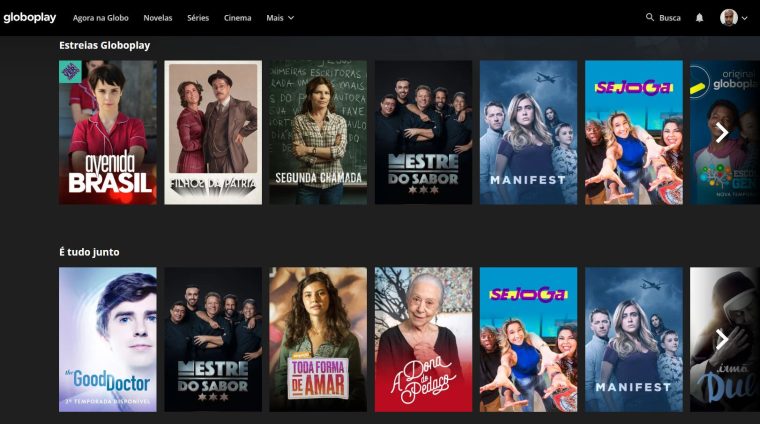
O Globoplay It falls into a category of its own: the app is free and has an open layer with excerpts, some programs, and ad-supported content, but the full catalog and live channel signal are subscription-based. In other words, you can use it for free, just don't expect everything to be unlocked.
Features and limitations of free TV apps.
These apps typically include a program guide, genre search, continue watching option, subtitles, and streaming to your TV via Chromecast or AirPlay. Image quality automatically adjusts to your connection speed.
The limitations are also clear, and it's good to be aware of them: there are commercial breaks, the catalog changes according to licensing agreements, pay-TV channels are not included, and offline downloads are not always available. Free services and subscription services coexist—they're just not the same thing.
A practical tip: live streaming consumes a lot of mobile data. If your plan is limited, opt for Wi-Fi or reduce the quality in the app settings.
Conclusion
You can put together a complete schedule without paying anything: PlutoTV for various channels, Bandplay, SBT It is TV Brasil Play for live broadcast television and Plex For catalog movies and series. They're all in the official stores and are truly free.
If any app promises free access to cable channels, pay-per-view, or new movie releases, be suspicious: this content is sold, and those offering it for free are usually retransmitting it without authorization. Opt for official channels—the difference in security is worth it.
How to truly take advantage of it.
- Download before leaving home. If the service allows downloads, keep the episodes ready on Wi-Fi. The file will be stored in the app and will expire, but it solves the travel problem.
- Start with the free trial. If applicable, mark the day before the end of the period on your calendar. That's when most unwanted charges originate.
- Configure the profile and rating. Separate profiles prevent one person's recommendations from interfering with another's, and age restrictions protect those who use the same account.
- Adjust the quality on your phone. In the app settings, set the quality to lower for mobile data and high only on Wi-Fi. One hour on high settings will use over 1 GB.
Common mistakes that are costly
- Permanent download enabled: the file expires and can only be reopened with an active subscription.
- Watching on mobile data in high quality and exceeding the data allowance in two days.
- Forgetting about the free trial and being charged for the entire year at once.
- Signing up for the basic plan expecting 4K — the highest quality is almost always on the top plan.
Before installing: what's already on the device
Before installing yet another app, it's worth remembering that most TVs and cell phones already come with some free pre-installed services, including movies and free-to-air channels supported by advertising. And streaming from your phone to your TV via Chromecast or AirPlay eliminates the need to install the app on the television.
Internet TV and antenna TV are two different things.
The confusion starts here. Almost everything that's called a "TV app" transmits over the internet: the content travels through your connection, consumes your data plan, and depends on a network signal. Real free-to-air TV is something else entirely—it's a broadcast signal, received by antenna, free by definition, and independent of the internet.
In Brazil, free-to-air digital TV uses the ISDB-T standard, of Japanese origin and adapted here. This standard provides a specific transmission for portable devices, historically called one-seg, with lower resolution and designed specifically for small screens in motion.
Some cell phones sold in the country came with a built-in digital TV receiver, with a retractable antenna. Today, this is rare. Without this component, no application will pick up an antenna signal — the software cannot create radio hardware that doesn't exist in the device.
How to watch free-to-air TV on your cell phone without using your data allowance.
There is a physical path, and it works:
- External digital TV receiver. These are adapters that connect to the phone's USB-C port and include the antenna. The device then picks up the over-the-air signal without consuming data. Each model comes with its own app, and compatibility depends on the phone—check beforehand.
- Wi-Fi receiver. A small device picks up the antenna signal and distributes it across the local network. In this setup, the cell phone uses Wi-Fi, but doesn't use the internet: the data doesn't leave the house.
In either case, the antenna transmits more than anything else. Digital signals don't have the static and noise of analog signals: either the image is clear, or it freezes and drops out. Near a window, with the device stationary and on a higher floor, reception improves considerably. Inside a moving car and in areas far from the towers, it drops out.
It's important to remember that analog transmission was switched off in Brazilian cities over the past few years. The old signal is no longer available to receive.
Free channels with ads: the model that grew
Beyond the traditional antenna, the category that has expanded the most is that of free linear channels financed by advertising. They function like a TV grid: the programming runs automatically, you tune in mid-air, you don't choose the episode, and there are commercial breaks. Many connected TVs and various streaming services offer dozens of these channels for free and without requiring a credit card.
What you usually find in this format is older catalog content, archival films, documentaries, cartoons, news, and niche programs. It's truly free and legal because the advertiser pays—the same model as broadcast TV, transposed to the internet.
What you won't find in this format: a football championship in progress, a premier series, and a newly released film. These have exclusive contracts, and exclusivity is precisely what justifies the subscription price.
Why the app that “has everything” is a problem.
There's a type of app that promises all pay-TV channels, all championships, and the entire paid catalog for a symbolic price or for free. This isn't an offer—it's unauthorized retransmission.
The risks are real:
- Illegality. Distributing copyrighted content without authorization violates the Copyright Law (Law 9.610/1998), and criminal law addresses copyright infringement for profit. Operations conducted by Brazilian authorities have already shut down such services and ordered the blocking of applications and websites.
- Installation outside the store. These apps don't go through Google Play, so they ask you to allow installation from unknown sources. That's exactly the loophole scams use.
- Disproportionate permissions. A video player doesn't need contacts, SMS, or accessibility. When it asks for them, the purpose is different.
- Instability. The service goes down, changes its name, loses its payments, and then comes back with a different app. There's no one to complain to because there's no valid contract.
Anyone who has already paid for something like this is not protected by the Consumer Protection Code to demand delivery, because the object of the contract is illegal.
Putting together a combination that works
In practice, it's possible to cover almost everything without falling into the trap:
- Start with what's already open. The major Brazilian broadcasters maintain their own apps and websites with some live programming and segments available on demand, free of charge.
- Add the free linear channels to have a rotating grid in the background.
- Save the signature for what exists only in it. One service at a time, canceled when the season ends, costs much less than three simultaneous services.
- If the goal is football and live journalism, The antenna receiver solves the problem without monthly fees and without data consumption.
- Before signing anything, Please confirm whether the service allows more than one screen and whether cancellation is done through the app itself.
A note on quality: portable antenna transmission has low resolution by design, made for small screens. When enlarged on a large TV, it becomes pixelated. For a cell phone screen, it works well.