It's not always possible to get home in time for kickoff, and that's where the... apps to watch live football. The good news is that there's a legal way to play practically every big game: some are free, with ads, and some are available through subscription services.
Before installing anything, it's worth understanding the logic: each championship sells its broadcasting rights to one or more companies. Whoever bought those rights is the one who can broadcast them. That's why there isn't a single app with "all the games"—there's the right app for each competition, and it changes from season to season.
A fun fact before the list: football as we know it was organized in 1863 with the founding of the English Football Association, which standardized the rules. The practice of playing games with a ball and feet is much older, but it was there that it became a sport with written rules.
Below are six apps available in official app stores, detailing what each offers and what is free or paid in each case. Since the availability varies by country and season, always check within the app itself to see what's available in your area.
What are the best apps to watch live football?
1. YouTube — official games streamed for free
It's the most direct and most underrated free route. Several rights holders have opened official channels on YouTube and broadcast live matches for free, supported by advertising — this is the case for sports channels from broadcasters, federations, and projects like CazéTV, which often brings national and international competitions to the platform.
The way to use it is simple: search for the official channel of the competition or broadcaster, activate the notification bell, and check the broadcast schedule. Be aware of channels that copy the signal of another—besides being illegal, these broadcasts go down in the middle of the game. The app is free and available for Android and iPhone.
2. Globoplay — part free with ads and paid packages
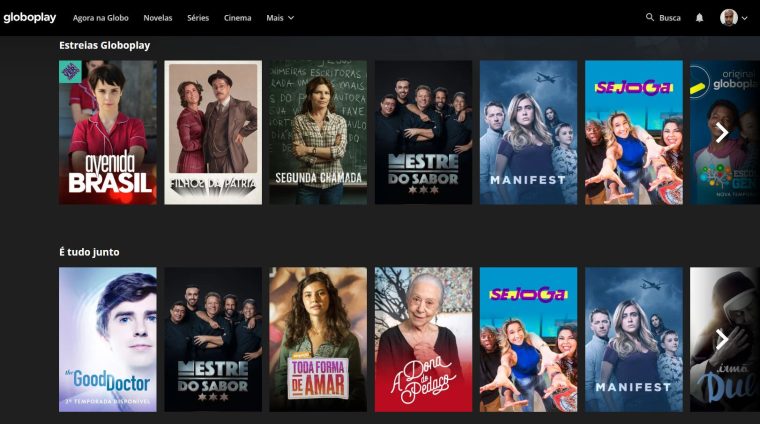
O Globoplay It's available for free download in both stores and has an open content section with ads, which sometimes includes games, highlights, and sports programs. However, the bulk of the football content is available through paid plans and live channel packages sold as add-ons.
If you're interested in the national championship, check the plans page beforehand to see which package includes sports channels and how much it costs. Downloading the app is free; watching pay-TV channels requires a subscription, and this is clearly indicated within the app itself.
3. Premiere — subscription for the Brazilian Championship
The application Premiere: Live Games It's available on Android and iPhone and is free to download, but it's a subscription service: you pay to watch. It's the go-to place for those who want to follow the Brazilian championship round by round, including games that aren't broadcast on free-to-air TV.
Within the app, you can see the schedule for the round, choose between simultaneous broadcasts, and track statistics. The subscription can be purchased directly or as part of a larger package—it's worth comparing both options before deciding, as the final price is usually different.
4. OneFootball — follow everything, watch some
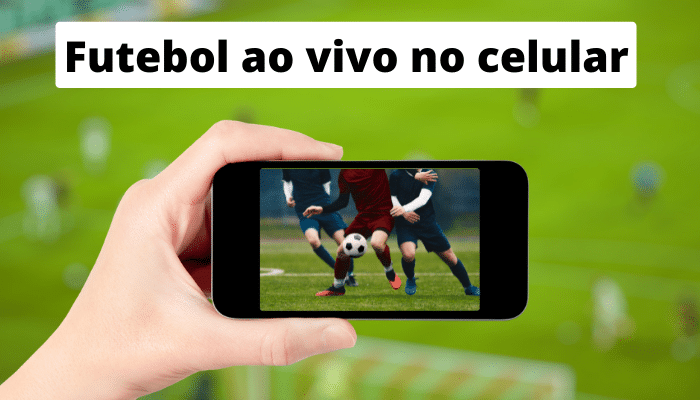
O OneFootball It's free and available in both app stores. First and foremost, it's an app with live scores, lineups, standings, and news for hundreds of competitions—from the Brazilian Championship to European leagues. It's perfect for anyone who wants to know what's happening in real time without relying on a live broadcast.
Occasionally, it also streams live matches from leagues it has agreements with, usually less popular championships. Don't count on it for the highest-rated games: for those, the app indicates where the match is being broadcast, which is already quite helpful.
5. Twitch — official streams and behind-the-scenes content
A twitch, The Amazon group's platform is free and becomes a football platform when a club, league, or rights holder decides to broadcast there—this usually happens with friendly matches, pre-season games, alternative competitions, and analysis programs with well-known commentators.
The rule is the same as on YouTube: only watch on the official channel of the club or competition. Random channels retransmitting TV signals are piracy, they can go down at any moment and also fill the screen with dubious advertisements.
6. Prime Video and Disney+ — subscription service, with sports included in the package.
The major subscription services have definitively entered the sports market. Prime Video and the disney+ — which now concentrates the content that was previously on the now-closed Star+ — both have free apps to download on Android and iPhone, but require a subscription to watch, and in some cases an additional sports channel or package.
Since sports rights are renegotiated each season and vary by territory, what's included today may not be included six months from now. Before subscribing because of a specific championship, confirm on the service's official page in your country whether that competition is actually part of the plan.
How to find out where your team's game will be broadcast
The most reliable way is to consult the official website of the competition or club, which publishes the schedule with the broadcaster for each match. Scoreboard apps like OneFootball also display this information on the game screen, and the broadcasters themselves publish the schedule for the round on social media.
Avoid apps that promise "all channels for free" and only exist in files outside of Google Play and the App Store. Besides distributing signals without authorization, which is a crime, they are a known route for malware and data theft. If a service is legal, it's in your phone's official app store—and clearly states what's free and what's paid.
Like to know more about the best apps to watch live footballSo be sure to check out the other articles on the blog, we have lots more news for you!
See too:
Satellite apps: see your house on the map
Apps to change home wall color
Globoplay: what you can watch for free
What to look for before installing
- Compatibility with your TV. Apps often become outdated on older TVs. Before subscribing, confirm that the app exists and is still receiving updates for your model.
- How many screens at the same time?. Cheaper plans often limit you to one screen and standard quality. If the household is watching simultaneously, this is the most significant factor.
- Cancellation without a commitment period. Streaming services generally don't have a commitment period, but it's worth checking beforehand — and remembering that access continues until the end of the already paid cycle.
- Download to watch offline. Not all services allow it, and those that do usually restrict it by title and file validity period.
What these apps don't do
Before installing, it's worth managing your expectations: there are things that no app in this category delivers.
- Subtitles and dubbing in Portuguese vary by title and are not always included with the release.
- Live content, especially sports, is almost never included in free plans.
- The catalog changes every month because licenses expire. A title available today may be removed without notice.
- They don't replace a subscription. Some function as a search engine and only indicate where the title is available.
Frequently Asked Questions
Can I download movies forever?
No. The download is temporary, it expires, and you need to renew it within the app.
Can I watch it on more than one screen?
It depends on the plan. The cheapest ones usually only allow one screen at a time.
Are these apps really free?
The free ones are funded by advertising and have a smaller catalog. Those that require a subscription usually only offer a free trial period.
How much data does streaming consume?
Quite a lot. At high quality, an hour of video can exceed 1 GB — use Wi-Fi or limit the quality in the app settings.
Does it work on smart TVs?
It depends on the model and age of the device. One alternative is to stream from your phone via Chromecast or use an external streaming device.