Karaoke apps are perfect for singing famous songs on your cell phone, either with friends or alone. They offer national and international music with lyrics and sounds to accompany the melody. Other tools allow you to perform duets with famous singers and record the results for possible posting on your social networks. See how to sing on your cell phone.
Some options are available on Android and (iOS), and there are competitions to see who has achieved the highest ranking. Check the list below.
Best apps for singing on mobile
Smule
The Smule app is one of the most popular and top rated karaoke apps on any smartphone. Here you can record while singing your favorite songs and enhance your voice with various sound effects.
The app has over 800,000 different songs for you to sing alone or in a duet with friends. Your screen is split in two, so you can watch the artist sing along with the lyrics and add credits at the end.
The platform has a free version and a weekly version for subscribers. Smule can be downloaded from the Play Store or the App Store.
starmaker
One of the best alternatives to karaoke apps is StarMaker, and its main difference is the vast catalog of songs that is constantly updated and added.
Also, you can edit karaoke if needed. Unfortunately, most songs are blocked by in-app purchases, which has a huge negative impact on almost all of these apps.
However, you can release the music while singing and get good results. If you want to download this app with more than 50 million users, click on the App Store or Play Store link.
singa
Undoubtedly, this is one of the best applications for singing karaoke on mobile devices. Singa delivers lyrics horizontally, simulating traditional karaoke as much as possible. In addition, there are many national and foreign songs and more than 80,000 songs with lyrics.
It's very simple to use and organizes songs by genre, name or artist to make the search process easier. It also has a list of singable songs for any occasion. To download, go to the Play Store or App Store.
The Voice
It is a karaoke app that simulates the reality show of the same name, allowing users to experience the feeling of the show in a smaller area. Like a reality show on a song competition, you can also choose to fight and have two people sing.
Of course, the evaluation of the “technical staff” at the end of the lecture cannot be lower. It has a huge selection of songs from the most diverse genres, so you don't have to sing.
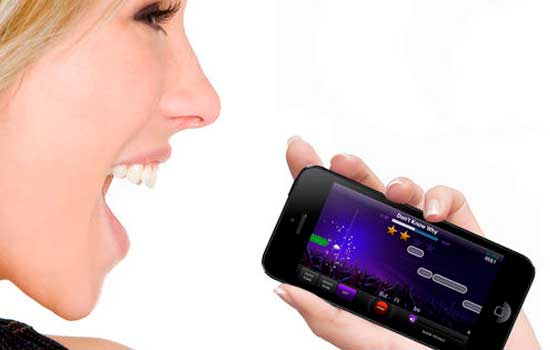
However, most songs are locked by weekly subscription and can be obtained if users perform well. Download the Voice app for iOS or Android.
services
Leave your opinion about apps or new suggestions not included in this list in the comments.
How to choose between the options
- Family or individual plan. Family plans typically start with two people and require a shared address for most services.
- Data usage. Streaming in high quality consumes a lot of data. Adjusting the quality on your phone will prevent surprises when it reaches your data limit.
- Audio quality available. The bit rate varies by plan. On standard headphones the difference is subtle; on better equipment, it's noticeable.
- Catalog in Portuguese and local format. International streaming services sometimes have glitches in sertanejo, forró, and gospel music. If that's what you listen to, test it before subscribing.
What these apps don't do
This is the part that almost no list mentions, and it's precisely what separates expectation from result.
- An app that offers paid content for free is piracy and often comes with intrusive advertising or malware.
- Lyrics and credits depend on what the record label sent and are sometimes incomplete.
- Tracks are removed from the catalog when the license expires, including tracks from pre-made playlists.
- Losing your subscription means losing access to what you downloaded — it's not a purchase, it's a usage license.
Frequently Asked Questions
How much data does streaming use?
At high quality, it's around 100 to 150 MB per hour. Reducing the quality in the settings significantly lowers this number.
Can I listen without internet?
Only by downloading it within the app, which generally requires an active subscription.
Can I listen for free?
It's possible, with advertising and some limitations, such as random order and a restricted number of jumps.
Can I use it in the car?
Yes, via Bluetooth, or through Android Auto and CarPlay in compatible vehicles.
Does the quality change significantly between plans?
With regular headphones, the difference is minimal. With better equipment or a good speaker system, the difference becomes noticeable.
How to use it in practice
- Download playlists via Wi-Fi. Get it ready before you leave. The download is within the app and depends on an active subscription.
- Set up the equalizer once. Adjust according to the headphones you use — it's the cheapest way to improve sound quality.
- Migrate your playlists when switching services. There are tools for transferring data between platforms; the loss is usually only due to unavailable tracks.
- Let the app learn. Liking and skipping are key to the recommendation. Two weeks of use significantly changes what appears.
What goes wrong most often?
- Signing up for the family plan without checking the requirement for a shared address.
- Installing an app that offers a paid catalog for free is piracy and usually comes with intrusive advertising.
- Listen in high quality using mobile data and exceed your data allowance.
- Cancel your subscription and lose access to all downloaded data.
What the cell phone itself already does.
YouTube functions as a huge free catalog for discovering music, and streaming radio continues to exist within various free apps. For offline listening without a subscription, your own files can still play on the system's native player.
The delay in the headphones is what throws the singer off-key.
Singers are guided by their own voice. When that voice returns to the ear with a delay, the brain tries to correct the pitch and timing based on old information, and the result is distorted even for someone who sings well.
The delay comes from the audio path: the voice enters through the microphone, goes through the device's processing, and returns through the output. Each step adds milliseconds.
Wired headphones are the shortest route. Bluetooth is the longest, because it adds encoding and wireless transmission, which pushes the latency to a level that's impossible to ignore when you're singing along.
There's a trick that solves a good part of the problem without any equipment: leave one side of the headphones out of your ear. With one ear you follow the bass; with the other, you hear your own voice through the air, without any delay. It's how singers work in the studio when the monitor mix is bothersome.
The microphone changes more than the app.
The cell phone's built-in microphone is designed for phone calls. It picks up sound at a wide angle, pulls in the entire environment, and applies voice processing that compresses dynamics and cuts frequencies outside the speech range.
The effect is a flattened voice, with the neighbor's dog and the living room television on the same plane. No adjustment within the app undoes this, because the damage happens beforehand.
- Lavalier microphone with plugIt sits close to the mouth, picks up less ambient noise, and is inexpensive. Devices without a headphone jack require a USB-C adapter.
- USB MicrophoneIt connects via an OTG adapter, has a larger capsule, and offers more controlled pickup. Requires the application to accept an external audio source.
Positioning is just as important as the equipment. About a hand's width away is a good starting point. Singing slightly to the side, rather than facing forward, prevents the air jet from the "p" and "b" sounds from hitting the capsule directly and ruining the recording.
The atmosphere is heavier than it seems.
Hard surfaces reflect sound. Tiled kitchens, bathrooms, and empty rooms reflect sound back with an echo, leaving the recording muffled. This echo doesn't disappear; it remains recorded.
A room with fabric absorbs moisture. A room with curtains, a bed, a sofa, a rug, and an open wardrobe feels considerably cleaner. Singing facing a corner with clothes hanging on it is an old trick, and it works.
Before pressing record, turn off anything that makes continuous noise: fans, air conditioning, television, washing machine. The microphone picks up this background noise all the time, and it reappears in parts where you're not singing. Activating airplane mode also prevents a notification from interrupting the recording.
Instrumental playback or original music
The backing tracks used for karaoke on mobile phones come in two formats, and the difference is significant.
O instrumental playback It doesn't capture the artist's voice. It leaves you exposed: every pitch fluctuation and every delay in the entry becomes audible. It's the format that teaches, because it shows the mistakes.
A original music with vocals in the background It's more comfortable. The artist's voice serves as a guide and, without you realizing it, masks your mistakes. Good for group fun, bad for improvement, because you think you got it right when the recording actually covered it up.
Regarding publishing the result, a practical warning. Covering copyrighted music involves copyright, and Law 9.610/1998 requires authorization from the copyright holder for uses that go beyond private use. Social networks maintain automatic audio identification systems; when they detect the original recording underneath, the video may have its sound removed, be blocked in some countries, or have its monetization redirected. Singing at home is one thing; publishing is another.
The voice has its limits, and it appears quickly.
Singing without warming up is like running without stretching. A few minutes of light warm-up before recording makes a big difference to your performance: calm breathing, continuous sounds at a low volume, short scales going up and down within a comfortable range.
Drinking room temperature water throughout the session is more helpful than any recipe. Avoid ice before singing.
One detail about headphones deserves attention. With the monitor volume too high, the person doesn't realize how much strain they're putting on the voice and ends up singing louder than necessary. Moderate volume on the headphones protects the voice and also improves pitch.
Automatic pitch correction, present in several applications, adjusts small deviations and makes the recording more pleasing. It doesn't replace technique, however: with large deviations, the processing becomes artificial and obvious.
Hoarseness that persists for days, pain when singing, or recurring voice loss are not things that can be resolved with an app. In these cases, seek a healthcare professional.
Karaoke in the living room using the TV.
There's no need to buy a dedicated device. The cell phone becomes the source and the TV becomes the screen.
- Wireless mirroring, With your phone and TV on the same network, it's convenient, but the video arrives with some delay, so it's best to keep the audio coming through your phone or a speaker connected to it.
- Cable, with a USB-C to HDMI adapter. More stable and with no noticeable lag, provided the device supports video output through the port.
- Bluetooth speaker for the public And wired headphones for the singer. The speaker delays the sound, but the listener doesn't mind; the singer remains guided by the headphones.