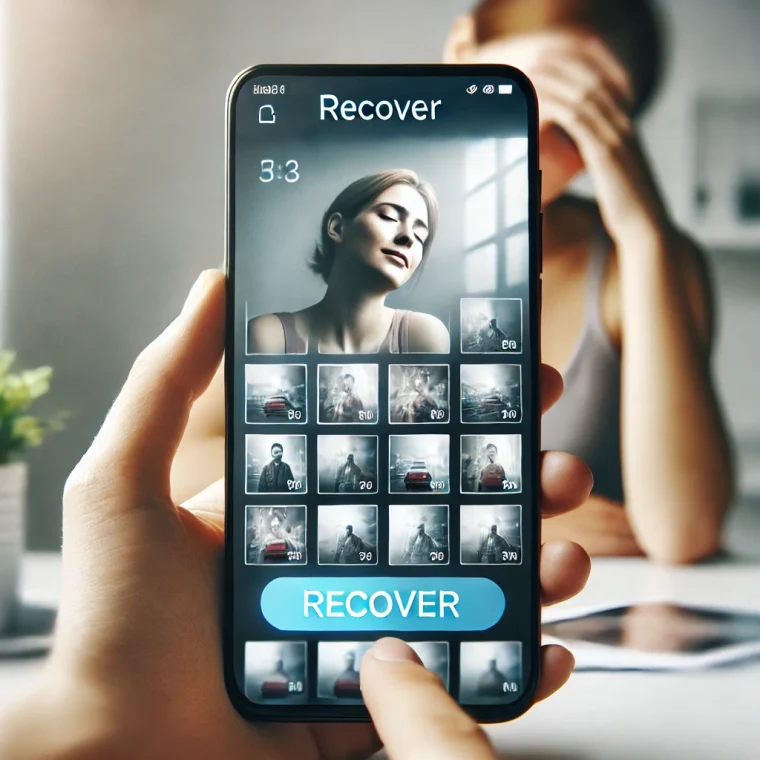
Nowadays, artificial intelligence has reached a level never seen before. That's why, gender change apps are increasingly popular and realistic. So, throughout this article, follow the best apps to change gender.
3 good app options to change gender
1. Snapchat
Apparently, it was Snapchat that launched all the hype for interactive and reliable filters, and so far, only a few apps have been able to replicate its results. Therefore, it is the best option to change sex in few steps.
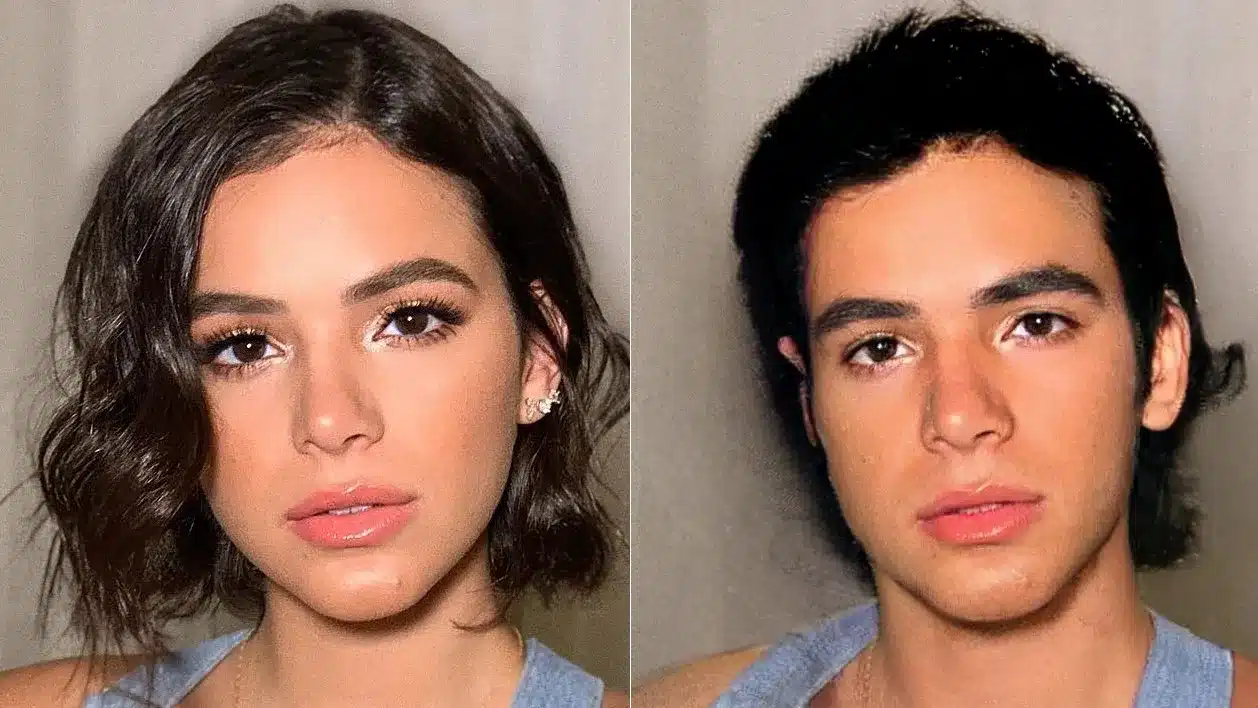
The application includes a fun filter that consists of taking a Photograph to see your female or male version. Through artificial intelligence it calculates and makes projections of what your face would look like, which can give a very reliable photo.
On the other hand, Snapchat also provides another fun filter that serves a similar purpose. And that is, if you want to put your face on the body of your sister, friend or wife. Or the other way around.
There's also a filter that lets you swap the faces of two subjects, whether they're in the same image or two different photos.
This is an awesome option to try out and which you can play with your friends.
2. FaceApp
The reason why we ranked FaceApp second is because the results you get with it are really, really realistic.
This application of Russian origin has caused a sensation on the Internet because of a filter that can transform it into an older or younger version of itself, but what most captivates those who see the results is the realism with which it is edited.
In fact, FaceApp is the first app to change facial features, including a very effective gender change.
Now you can add hair and styles, change the features of their faces, paint and enlarge their lips, or simply change the background to create a realistic montage that places you somewhere else.
However, the app is accused of being used as a spy weapon, so be careful.
3. Face Transformation – Gender Changer
Another application to change a man's face to a woman's with sensational results is Face Transformation – Gender Changer, an application that has nothing to envy to the others on this list.
In fact, the application works like a powerful digital makeup artist, with which you can do fun touch-ups, change the size and color of your eyes, put on a feminine wig with different styles and hairstyles, as well as change your color and reflections.
On the other hand, Face Transformation – Gender Changer has several amazing tools that you shouldn't miss. For example, if you want to distort your face according to your tastes, as well as perform an express operation on the nose, mouth or cheeks, you are just a few steps away.
If you like filters, you also have the opportunity to add some to your edited images.
See too:
Apps to see your city from the satellite
Apps to change home wall color
Spy Apps: How to Download and Use
Before deciding, check these points.
- Permissions requested. An app should only request what it needs to function. Requests for access to contacts, messages, or accessibility without reason are a red flag.
- What the app actually does. Compare the description on the store page with recent reviews. The difference between the two often reveals what the advertisement omits.
- It works offline. If the task is local, requiring a connection means that your data is being sent to a server.
- Last updated and supported. An application without a recent update tends to break with the next system version.
What these apps don't do
Every category has a limit, and knowing this one's limit saves time and money by avoiding those who promise more than what's available.
- They can't do what the device's hardware doesn't allow. A feature without a corresponding sensor doesn't exist in software.
- The free version often limits exports, applies a watermark, or restricts the number of uses per day.
- A high rating in the store doesn't guarantee quality: it's worth reading recent, negative reviews.
- An app that promises impossible results usually exists only to display advertising.
Frequently Asked Questions
Does it work without internet?
It depends: those that process on the device work offline; those that depend on a server require an internet connection.
Is it safe to install?
Download from the official store, check the developer, the date of the last update, and the permissions requested.
Is the app free?
Generally, the download is limited or may include advertising. Check the price range for in-app purchases on the store page.
Does it take up a lot of space?
The size appears in the store, but it increases with use due to caching. Clearing the cache frees up space without losing settings.
Is there a native alternative?
It's worth checking out. Android and iOS come with several ready-made functions that eliminate the need to install another app.
How to truly take advantage of it.
- Review your consumption after one week. In the settings, view battery and data usage by app and restrict any that are high.
- Adjust the notifications on the first day. Leaving everything plugged in is the most common reason for uninstallation in the first week.
- Check what the app asks for during installation. Compare the permissions with what it actually does. It's the quickest test of trustworthiness.
- Check if it works offline. If the task is local but still requires a connection, your data is being sent to a server.
Common mistakes that are costly
- Installing multiple applications that do the same thing, all running in the background.
- Granting access to contacts, messages, or accessibility without a clear reason.
- Ignore the fact that the free version limits exports or applies a watermark.
- Choosing based on average rating without reading recent negative reviews.
What the cell phone itself already does.
It's worth opening the search in your phone's settings before installing: Android and iPhone already have several built-in functions, and the native app usually consumes less battery and doesn't ask for any permissions beyond what's necessary.
Where does your photo go after you tap apply?
There are two possible paths, and they completely change what happens to your image.
In the first case, the processing is done within the device. The app comes pre-installed, runs on the phone's processor, and the photo never leaves the device. In the second case, the app sends the image to a server, the server returns the finished result, and your photo now exists on a machine that isn't yours.
You can figure out which is the case without reading a single line of documentation. Turn on airplane mode and try applying the effect. If it works normally, the processing is local. If the app crashes, shows a connection error, or keeps spinning, the photo was being sent.
Another sign is the response time on a poor network. The effect that takes much longer on weak 4G than on Wi-Fi is server-dependent. Local effects always take the same amount of time because they only depend on the processor.
Face data is considered sensitive personal data under Brazilian law.
The General Data Protection Law, Law 13.709/2018, separates common data from sensitive data. Biometric data is on the list of sensitive data, and facial images processed to identify a person fall into this category. The regime is more rigid: it requires a specific legal basis and, in most cases of entertainment applications, explicit and informed consent.
The same law grants rights to those who appear in the photo. You can request confirmation that your data is being processed, request access to what the company stores, request correction of any errors, request the deletion of data processed based on your consent, and revoke that consent at any time.
These rights are exercised by requesting them from the controller, usually through the contact channel or address of the data protection officer indicated in the privacy policy. An app that doesn't offer any channel for this is already breaking the law, which in itself says something about the company's concern for other issues.
Three things to look for in a privacy policy
Nobody reads the entire document. There's no need. Use your browser's text search function and look for three specific points.
- Retention period. Look for terms like “retention,” “storage,” or “we delete.” The policy should state how long the image remains on the server. A promise to delete it immediately after processing is the best scenario. Vague text like “for as long as necessary” doesn't provide any information.
- Sharing with third parties. Look for “third parties,” “partners,” and “providers.” Sharing with the cloud service that hosts the operation is routine. Sharing with advertisers, analytics companies, or those who train models is another story.
- Image usage license. This section is usually found in the terms of use, not the policy. Look for "license," "irrevocable," "worldwide," "sublicensable," and "royalty-free." A broad license allows the company to use your photo in promotional materials and to train models, without charging anything and without needing to notify you again.
Finding a broad clause doesn't mean the company will use it. It means they can, and that you agreed to it.
Registration, account deletion, and uninstallation.
An app that works without login leaves less of a trace. Without email, phone number, or social media account, the uploaded photo remains disconnected from your identity, even though it's still stored on the server.
When registration is mandatory, the image becomes linked to your identifier. This makes it easier to exercise your rights under the LGPD (Brazilian General Data Protection Law), because the company can locate your data and, at the same time, create a history associated with you.
Uninstalling the app doesn't delete anything from the server. Uninstallation removes the program and local files from the device, and that's all. What has already been sent remains where it was. To actually terminate the account, you need to use the account deletion option within the app or send a formal deletion request to the controller and keep proof of the request.
Photos of other people require permission.
Image rights are a personality right, addressed in article 20 of the Civil Code. Using someone's face without authorization, especially in publications, can generate a duty to compensate even without intent to offend.
Applying a gender-swap filter to a friend's photo and posting it without asking falls into this category. Asking beforehand solves the problem. It's important to remember that consent is for that specific use, not a general release.
Photos of children and adolescents are a closed case. Article 14 of the LGPD (Brazilian General Data Protection Law) requires specific and explicit consent from at least one parent or legal guardian to process a child's data. Sending a minor's face to a filtering server for fun has no justification that outweighs the risk.
Release one photo, not the entire gallery.
Recent versions of Android and iOS include a system photo selector. When you request an image, the app only receives the file you've chosen, without gaining access to the rest of your gallery.
Both platforms also offer partial access permissions, where you can select which photos are visible to that app. Choosing this option instead of "allow all" significantly limits the scope of any data collection.
After using it, it's worth opening your device's settings and reviewing what permissions the app can still access. Photos, camera, and storage are the permissions that matter in this type of program. Anything beyond that, such as contacts or location, is irrelevant in a face filter.