Those searching for "HBO Max for free" generally want to know the same thing: is it possible to watch... game of Thrones, The Last of Us Or can you watch Warner Bros. movies for free? The honest answer is no. HBO Max is a subscription streaming service: the full catalog only opens after you subscribe to a plan.
This doesn't mean you have to spend money to have something to watch. There are promotional trial periods (which are trials, not gifts), bundles with providers, and, most importantly, truly free platforms, maintained by advertising. In this guide, we separate what is paid, what is a trial, and what is truly free.
HBO Max is a paid service: understand before you start.
HBO Max is owned by Warner Bros. Discovery and operates on a monthly or annual subscription basis. The app is free to download from Google Play and the App Store, but downloading it doesn't unlock the catalog: without an active plan, you'll only see trailers, the login screen, and the pricing page.
The platform typically offers different plan tiers, which vary according to the number of simultaneous screens, image quality, and the presence or absence of ads. Prices are frequently adjusted and vary from country to country, so don't rely on blog price lists: always check the official plan page within the app itself or on the HBO Max website before subscribing.
It's also common for the subscription to be included in cable TV, internet, or phone packages. In that case, you continue paying—just within the provider's bill. It's worth checking if your plan already includes the service before subscribing.
Is there a free trial of HBO Max?
From time to time, HBO Max and some partners release promotional trial periods. These are not permanent, are not available year-round, and do not always apply to all countries. When they exist, they appear on the app's subscription screen—if nothing appears there, it's because there is no active promotion at the moment.
And here is the most important warning in this text: Testing isn't free, it's a trial.. To activate, you need to register a payment method. When the promotional period ends, the charge is automatically processed and the plan renews. If you don't want to pay, you need to cancel before the end of the period.
There is no legitimate trick to extend, repeat, or reuse a promotional period, and attempting to circumvent this usually violates the service's terms of use. Consider the trial for what it is: a chance to evaluate the platform before deciding if it's worth the monthly fee.
How to subscribe to and use HBO Max on your mobile phone, step by step.
Step 1. Download the official HBO Max app from Google Play (Android) or the App Store (iPhone). Be wary of any versions not available in these stores.
Step 2. Open the app and tap “Subscribe” or “Log in” if you already have an account or access through your carrier.
Step 3. Compare the plans on the sign-up screen. Pay attention to the number of simultaneous screens, the maximum resolution, and whether there are ads.
Step 4. Fill in your details, choose your payment method, and complete the purchase. If there is a promotional period, note the date when billing begins in your calendar.
Step 5. With an active account, browse through the tabs for series, movies, and original content, or use the search function to find a specific title.
Step 6. Tap the play icon to begin. Within the player, the subtitles icon allows you to switch between the audio and subtitle languages.
Step 7. To view offline, use the download button on titles that allow it. Not all content can be downloaded, and the file has an expiration date.
How to cancel before being charged
If you signed up just to try it out, cancel at least one day in advance. The process depends on where the subscription was made: on the HBO Max website or app, under "Account" or "Subscription"; for subscriptions made through Google Play, under "Payments and subscriptions"; on iPhone, under Settings, your name, "Subscriptions"; and if it came through your carrier, the cancellation is done with them.
After canceling, access usually continues until the end of the previously contracted period. Keep the confirmation email: it's your proof in case you receive any incorrect charges.

What can you actually watch for free?
If the goal is to save money, HBO Max isn't the answer: it's free streaming with ads. These are legal platforms that license their catalog and sustain themselves through advertising during the film, just like on broadcast TV.
- PlutoTV — live channels and on-demand catalog, no registration or subscription required.
- Plex — In addition to organizing your files, it has free movies, series, and channels supported by ads.
- Runtime — a Brazilian service with free movies and series, also with advertising.
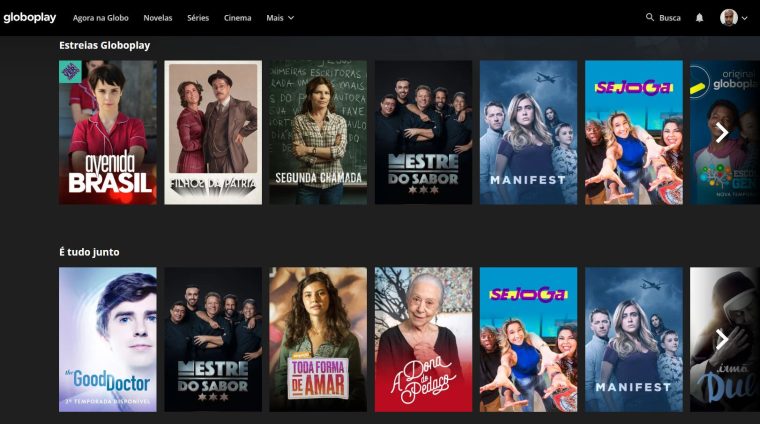
- Broadcasters' apps Globoplay, +SBT, RecordPlus, Bandplay, Cultura Play, and TV Brasil Play have some of their content available for free.
None of them have the HBO catalog. The collection is different: classics, independent productions, catalog films, and national content. But it's truly free, no card required, and no billing date.
Frequently Asked Questions
Is it possible to watch HBO Max for free? No. The app is free, but the content requires an active subscription.
Does the promotional trial have a charge? No, not during the renewal period. But yes, it is renewed at the end: unless you cancel beforehand.
And what about the apps that promise to unlock HBO Max? Run away. They are not official, they put your data at risk, and they distribute content without authorization.
READ TOO
- Apps for watching free TV on your mobile phone.
- Apps to watch free movies
- Best apps to watch telenovela on mobile
Criteria that make a difference in the choice
- Compatibility with your TV. Apps often become outdated on older TVs. Before subscribing, confirm that the app exists and is still receiving updates for your model.
- What is truly free?. Free services are usually supported by advertising and have a smaller catalog. Check if what you want to watch is in the free section or behind the subscription price.
- Image quality included. Full HD and 4K are usually included in higher-end plans. Signing up for the basic plan expecting 4K is the most common source of frustration.
- Catalog available in Brazil. The catalog varies by country due to licensing agreements. A title that appears on an international list may simply not exist here.
What these apps don't do
It's important to know what's beyond the reach of this category—that's what avoids frustration and, most importantly, prevents falling for those who promise the impossible.
- Live content, especially sports, is almost never included in free plans.
- The catalog changes every month because licenses expire. A title available today may be removed without notice.
- They don't replace a subscription. Some function as a search engine and only indicate where the title is available.
- They don't provide paid content from other services. Any app that promises access to the catalog of various platforms for free is either piracy or a scam.
What to do, in order.
- Check the catalog before subscribing. Almost all services let you browse the catalog without an account. Look for three titles you really want to see—if two aren't already there, the plan isn't right for you.
- Adjust the quality on your phone. In the app settings, set the quality to lower for mobile data and high only on Wi-Fi. One hour on high settings will use over 1 GB.
- Configure the profile and rating. Separate profiles prevent one person's recommendations from interfering with another's, and age restrictions protect those who use the same account.
- Start with the free trial. If applicable, mark the day before the end of the period on your calendar. That's when most unwanted charges originate.
Where most people slip
- Installing apps from outside the store that promise a paid catalog for free — that's piracy and often comes with malware.
- Signing up for the basic plan expecting 4K — the highest quality is almost always on the top plan.
- Forgetting about the free trial and being charged for the entire year at once.
- Watching on mobile data in high quality and exceeding the data allowance in two days.
Before installing: what's already on the device
Before installing yet another app, it's worth remembering that most TVs and cell phones already come with some free pre-installed services, including movies and free-to-air channels supported by advertising. And streaming from your phone to your TV via Chromecast or AirPlay eliminates the need to install the app on the television.