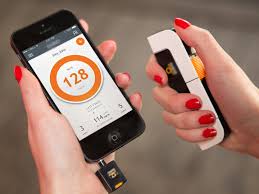
Let's start with the most important information in this text: Cell phones don't measure blood pressure.. No ordinary smartphone has the necessary sensor for this. Blood pressure is only measured when something compresses an artery in the arm (or wrist) and measures the force of the blood pumping back out—that's exactly what the sphygmomanometer cuff is for.
Therefore, any app that promises to "measure blood pressure by placing your finger on the camera" is promising something the device doesn't deliver. These apps estimate a value based on variations in skin color and flash light, and this estimate is inaccurate. not suitable for clinical decision-making, This is not for adjusting medication dosages, and it's not for deciding whether or not to seek emergency room care.
What cell phones do very well is something else — and this is where they become a true ally for those living with hypertension: saving measurements taken with a validated device, remembering medication times, and transforming months of scattered numbers into an organized report to take to appointments.
Below you will find five apps that do this registration work, all available in official stores, with what each one actually delivers.
Why a blood pressure diary is worth more than a single measurement.
Blood pressure changes all the time: it rises after coffee, after climbing stairs, when you're tense, or after a bad night's sleep. A single, isolated measurement tells you very little. What guides the doctor is the set of measurements—several measurements, on different days, always at the same times.
This is the data that the app organizes. Instead of a crumpled piece of paper in a drawer, you arrive at your appointment with your average blood pressure over the last few weeks, the times when your blood pressure is highest, and the days you forgot to take your medication. This changes the conversation with the healthcare professional.
1. My Heart: Blood Pressure
A straightforward, Portuguese-language recording app. You record your systolic and diastolic blood pressure, pulse, and the time of the measurement taken with your arm cuff device. The app creates graphs over time and calculates averages.
It also allows you to mark each reading with a note (“before medication”, “after walk”) and export everything as a spreadsheet or PDF to send to your doctor. It's free, with ads, and has a paid version that removes the ads. It's only available for Android. View on Google Play.
2. SmartBP Blood Pressure
SmartBP is one of the oldest and best-known blood pressure diaries, and it's available in both stores. You record your systolic and diastolic blood pressure, pulse, and weight, and track the progress in graphs separated by hour and date.
It exports the data as a PDF or CSV via email and, on the iPhone, syncs with Apple's Health app. The developer himself makes it clear in the description that the application is a database tool and does not replace medical advice, diagnosis, or treatment—it's worth repeating that. The download is free, with in-app purchases. View on Google Play or View on the App Store.
3. Daily Blood Pressure MedM
MedM was designed for those who frequently take measurements and want clean reports. In addition to manual data entry, it connects via Bluetooth to various models of upper arm blood pressure monitors, eliminating the error of typing the wrong number.
The reports are generated as PDFs with averages, ranges, and graphs, in a format that doctors can quickly understand. It's available for Android and iPhone, with free download and paid additional features. View on Google Play or View on the App Store.
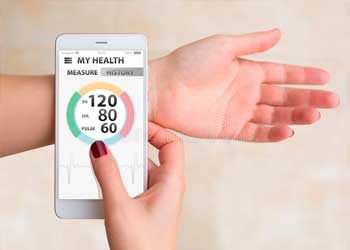
4. OMRON connect
This is the official app from Omron, a manufacturer of blood pressure monitors sold in Brazil. It doesn't measure anything on its own: it works as a partner to the brand's devices, receiving the reading from the cuff via Bluetooth.
If you already have (or are going to buy) a compatible Omron monitor, this is the most reliable way, because it eliminates the need for typing. The app is free in both stores. View on Google Play or View on the App Store.
5. Medisafe — Medication Reminder
A large part of uncontrolled blood pressure doesn't come from a lack of medication, but rather from a forgotten dose. Medisafe takes care of that: you register each medication, the time and the dose, and it alerts you at the right time.
You can register a contact who receives an alert when you miss a dose, record when your vaccination box is running low, and generate an adherence history to show during consultations. Free on Android and iPhone, with an optional paid plan. View on Google Play or View on the App Store.
How to measure at home without getting the number wrong.
If the number entered into the application is incorrect, the entire report loses its value. A few simple precautions resolve most errors:
- Use an automated arm device with the Inmetro seal and clinical validation, and take it for verification as per the manual.
- Sit quietly for five minutes before measuring, with your back supported and your feet on the floor.
- Keep your arm at heart level and do not talk during the measurement.
- Do not measure immediately after coffee, cigarettes, exercise, or when you need to use the bathroom.
- Take two measurements one minute apart and record both results.
- Always take your measurements at the same times agreed upon with your doctor — generally, in the morning and at night.
And what about watches and bracelets that claim to measure blood pressure?
There are smartwatches with blood pressure functions in some countries, but they depend on local regulatory approval and periodic calibration with a real blood pressure cuff. In Brazil, these features are usually not available: the Samsung Health Monitor, for example, doesn't even appear on the Brazilian Google Play Store.
In other words, even in the best-case scenario, the watch doesn't replace the wrist device—it simply repeats an estimate based on a calibration done with the cuff. Treat any number coming from a watch, bracelet, or camera as a loose reference, never as a diagnosis.
What to bring to the appointment
Export the PDF from the app covering at least the last two weeks, including the date, time, and the two values for each measurement. It's also helpful to note the model of the device used, the medications being taken, and the days on which any measurements were forgotten. With this information at hand, the consultation will be much more productive.
Finally, a reminder that cannot be missed: None of the apps on this list measure blood pressure, and none of them replace a healthcare professional.. They record, organize, and remember. Diagnosis, treatment adjustment, and any decisions about medication are made by your doctor. If you experience chest pain, shortness of breath, severe headache, or changes in speech and vision, seek medical attention immediately.
Step-by-step to get started
- Write down the value along with the time. Date and time transform random numbers into useful historical data for the professional.
- Generate the report before the query. Exporting as a PDF and having it printed or on your phone greatly shortens the conversation.
- Check out the privacy policy. Health data is sensitive data. Check if it is being shared with third parties and if it's possible to delete everything.
- Use certified equipment when taking measurements. The cell phone doesn't measure; the equipment with sanitary registration does the measuring. The app only stores the number.
Traps that catch almost everyone
- Install an app that promises to detect disease through photos, sounds, or questionnaires.
- Swap in-person consultations for apps — none of them provide diagnoses.
- Believing that a cell phone measures blood pressure, glucose, or body temperature is wrong; there is no sensor for that in the device.
- Changing medication dosage based on a number seen in the app.
What the cell phone itself already does.
Android and iPhone already come with a native health app that consolidates steps, sleep, and measurements sent by other devices, with privacy controls by data type. It's usually the safest place to store your history, and you can export it to take to your doctor.