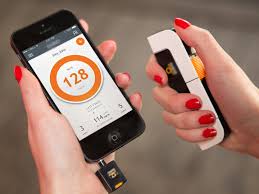
First of all, it's necessary to clear up a common misconception: There is no app that measures blood pressure via cell phone.. The smartphone doesn't have a sensor for that. The measurement is done by the armband device. What the app to monitor blood pressure What it does — and does very well — is to keep these measurements, show the trend, and prepare a report for consultation.
According to the World Health Organization (WHO), approximately 1.28 billion people worldwide live with hypertension. And almost half of them don't know they have the condition.
That's precisely where technology helps: not by replacing the device or the doctor, but by ensuring you don't lose track of your measurements and don't forget your medication.
What is blood pressure?
Blood pressure is the force that blood exerts against the walls of blood vessels, propelled by the heartbeat. The first number (systolic) is the peak, when the heart contracts; the second (diastolic) is the resting value between one heartbeat and the next.
This force is not constant: it varies with age, time of day, physical exertion, nervousness, and even whether you are talking during the measurement. Therefore, a single measurement explains little.
Generally, values around 120 over 80 mmHg (the famous "12 over 8") are considered desirable in adults. Numbers repeatedly above 140 over 90 mmHg in the doctor's office usually raise suspicion of hypertension, and very low values may be accompanied by dizziness, nausea, or fainting.
These tracks are for reference only. The healthcare professional is the one who interprets the numbers and makes the diagnosis., taking into account their history, other tests, and how the measurements were taken.
Untreated hypertension damages blood vessels, the heart, brain, eyes, and kidneys—and for a long time, it doesn't cause any symptoms. Hence the importance of measuring and recording blood pressure regularly.
What the app does — and what it doesn't do.
It does: store each reading with date and time, calculate averages, create graphs, remind you when to take your medication, and export a report as a PDF or spreadsheet.
It doesn't do that: measure your blood pressure. If an app promises a result from a finger on the camera, flash, or screen, the value is an inaccurate estimate. Do not use this type of reading to make clinical decisions., to change medication dosage or to reassure oneself in the face of a symptom.
Below are three options that work the right way — recording what your device measured.
3 app options for monitoring blood pressure
Blood Pressure Monitor
A simple diary in Portuguese: you enter your systolic, diastolic, and pulse rates, and the app organizes everything by date, calculates averages, and shows the trend in a graph.
You can tag each reading with a note (for example, "before dinner" or "left arm") and share the report with your doctor. The download is free, and there are in-app purchases for extra features.
It is only available for Android. View on Google Play.
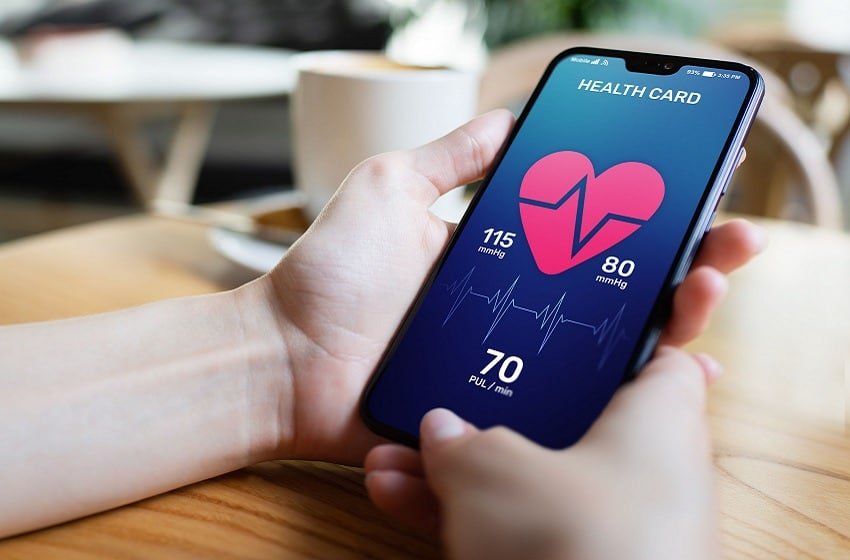
beurer HealthManager Pro
This is the official app from Beurer, a manufacturer of blood pressure monitors. It receives readings from compatible Beurer devices via Bluetooth, eliminating typing errors, and also accepts manual input.
In addition to blood pressure, it organizes weight, blood glucose, and activity on a single dashboard, with a PDF report to take to your appointment. The download is free, with in-app purchases.
It is available for Android and iPhone. View on Google Play or View on the App Store.
Blood Pressure Companion
A veteran among blood pressure diaries, it has a very straightforward interface: quick recording, history in graphs, averages per period, and reminders not to skip measurements or medication.
It also syncs with Apple's Health app and exports data to send to your doctor. The free version covers the basics; there is a paid Pro version with additional features.
Warning: this is exclusive to iPhone and iPad — there is no Android version. View on the App Store.
How to take advantage of registration
Measure your blood pressure while seated, in silence, after five minutes of rest, with your arm supported at heart level. Take two measurements one minute apart and record both. Repeat at the same times every day, as directed by your doctor.
Use an automatic arm monitor with the Inmetro seal and bring a complete report from the last few weeks to the appointment. It's the history, not today's measurement, that shows if the treatment is working.
And it's worth repeating: No app measures blood pressure, and none of them replace a healthcare professional.. If you experience chest pain, shortness of breath, severe headache, or sudden changes in speech and vision, seek medical attention immediately.
SEE TOO:
Apps for monitoring glucose and diabetes via mobile phone.
How to learn crochet on your cell phone.
How to choose between the options
- What happens to your data?. Health data is sensitive. Check if it's being shared with third parties and if it's possible to delete everything.
- Export for the doctor. A report in PDF or spreadsheet format makes the consultation much more productive.
- Integration with certified device. When there is a real measurement, it comes from equipment with a sanitary registration — the app only receives the number.
- What the app actually does. Recording information is different from measuring. Health apps organize data that you or a device provide.
The limits: what no app does
This is the part that almost no list mentions, and it's precisely what separates expectation from result.
- An app that promises to detect disease through photos, sounds, or questionnaires is not supported by any evidence — seek professional help.
- They are not a substitute for prescribed medication or treatment, and should not be used to guide dose changes.
- Estimates of steps, calories, and sleep are approximations based on motion sensors, with a significant margin of error.
- The cell phone does not measure blood pressure, glucose, body temperature, nor does it perform imaging tests. There is no sensor for that in the device.
Frequently Asked Questions
Is this something I need to take to the doctor?
Yes, and that's its greatest benefit: an organized history with dates and values greatly shortens the search time.
Is my health data protected?
It depends on the app. Read the privacy policy and check if there is any sharing with advertisers and if it's possible to delete your browsing history.
Is step counting reliable?
It's an estimate. It serves to track trends over time, not as an exact measurement.
Can I stop taking the medication if my numbers improve?
No. Any change in treatment needs to be decided with the professional who is following the case.
Is there an app that detects disease?
Not reliably. Screening tools may suggest seeking care, but they don't diagnose.
How to use it in practice
- Always register at the same time. Measurements taken under similar conditions are what allow for comparison. Also note the context: fasting, after exertion, on a stressful day.
- Use certified equipment when taking measurements. The cell phone doesn't measure; the equipment with sanitary registration does the measuring. The app only stores the number.
- Check out the privacy policy. Health data is sensitive data. Check if it is being shared with third parties and if it's possible to delete everything.
- Generate the report before the query. Exporting as a PDF and having it printed or on your phone greatly shortens the conversation.
What goes wrong most often?
- Taking estimated steps, sleep, or calories as an exact measurement—that's an approximation using a motion sensor.
- Changing medication dosage based on a number seen in the app.
- Believing that a cell phone measures blood pressure, glucose, or body temperature is wrong; there is no sensor for that in the device.
- Swap in-person consultations for apps — none of them provide diagnoses.
The alternative that is already included in the system
Android and iPhone already come with a native health app that consolidates steps, sleep, and measurements sent by other devices, with privacy controls by data type. It's usually the safest place to store your history, and you can export it to take to your doctor.