The days when you could share a simple photo in an Instagram post are over. Now, not only can you share videos, but with IGTV, you can share ten minutes of video in a single Instagram post. Given this, many people wonder how to download videos from instagram.
Indeed, this is a pertinent question, after all, we are in the age of videos. So, let's see in all the details how to download videos from instagram.
How to download videos from Instagram?
on android
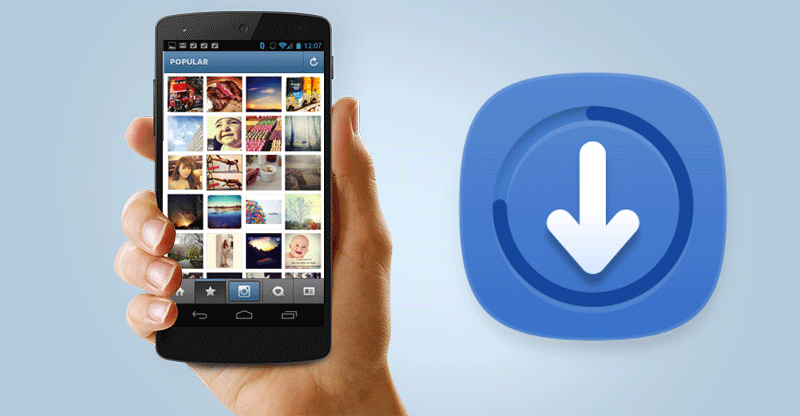
On android, you will find plenty of apps when you want to download Instagram videos to your android phone.
Search the Google Play Store for “Instagram Video Downloader” and check customer reviews on some of the top rated apps. Or don't hesitate to use the app that I'm going to show you right away.
1. Download the app from the Google Play Store.
Go to Google Play Store and download the “Instagram Video Downloader” app
2. Go to Instagram
Open Instagram on your phone and navigate to the post you want to download, then click on the post you chose.
3. Tap the three dots
In the top right corner of the post you will see three vertical dots. Click on these three dots and a menu will appear.
4. Copy Instagram post link
In the menu options that appear, tap on the option that says “Copy Link”.
Once you do that, the app will automatically record the video to your phone's gallery.
The downloaded videos are in your phone's gallery in a new album that was automatically created called “InstaDownload”.
You can also find your downloaded Insta videos by opening the app itself.
When you click on “History”, you will see all the videos you have recorded with the app. To share one of these videos on your own account (with credit to the creator, of course!), press the button that says “Edit”.
iphone
As with downloading Instagram videos to an Android, you can also use an app that you can download from the app store. The process will generally remain the same as above.
But in our opinion, these apps are not necessarily the fastest way to record an Instagram video, which is why we bring you Video Screenshot Capture Solution.
Video screenshots are very simple on iPhone, here are the steps to follow:
- Go to Settings > Control Center > Customize commands and tap on “screen recording”.
- Access your control center
- Tap the gray recording icon to start recording.
- Record the Instagram video you wanted to record
Stop recording by clicking on the same button as before that appears in red. Now you can find your recorded video in your gallery. All you have to do is edit your video so that you only have the video content you want.
Very simple and practical, isn't it?
See too:
Apps to make free virtual invites
Applications to make digital signage on mobile
Criteria that make a difference in the choice
- Download to watch offline. Not all services allow it, and those that do usually restrict it by title and file validity period.
- Cancellation without a commitment period. Streaming services generally don't have a commitment period, but it's worth checking beforehand — and remembering that access continues until the end of the already paid cycle.
- How many screens at the same time?. Cheaper plans often limit you to one screen and standard quality. If the household is watching simultaneously, this is the most significant factor.
- Compatibility with your TV. Apps often become outdated on older TVs. Before subscribing, confirm that the app exists and is still receiving updates for your model.
What these apps don't do
It's important to know what's beyond the reach of this category—that's what avoids frustration and, most importantly, prevents falling for those who promise the impossible.
- Live content, especially sports, is almost never included in free plans.
- The catalog changes every month because licenses expire. A title available today may be removed without notice.
- They don't replace a subscription. Some function as a search engine and only indicate where the title is available.
- They don't provide paid content from other services. Any app that promises access to the catalog of various platforms for free is either piracy or a scam.
Frequently Asked Questions
Can I watch it on more than one screen?
It depends on the plan. The cheapest ones usually only allow one screen at a time.
Can I download movies forever?
No. The download is temporary, it expires, and you need to renew it within the app.
Can I watch it without internet?
Only with prior download, when the service allows it. The file remains within the application, has an expiration date, and does not become a regular video in the gallery.
Do I need an account to use this?
Most require registration, even on free apps, to save your browsing history and continue from where you left off.
Is it worth subscribing to more than one service?
It depends on what you watch. Since there's no commitment, many people switch: they subscribe for a month, finish the series, and then change.
What to do, in order.
- Adjust the quality on your phone. In the app settings, set the quality to lower for mobile data and high only on Wi-Fi. One hour on high settings will use over 1 GB.
- Configure the profile and rating. Separate profiles prevent one person's recommendations from interfering with another's, and age restrictions protect those who use the same account.
- Start with the free trial. If applicable, mark the day before the end of the period on your calendar. That's when most unwanted charges originate.
- Download before leaving home. If the service allows downloads, keep the episodes ready on Wi-Fi. The file will be stored in the app and will expire, but it solves the travel problem.
Where most people slip
- Signing up for the basic plan expecting 4K — the highest quality is almost always on the top plan.
- Forgetting about the free trial and being charged for the entire year at once.
- Watching on mobile data in high quality and exceeding the data allowance in two days.
- Permanent download enabled: the file expires and can only be reopened with an active subscription.
Before installing: what's already on the device
Before installing yet another app, it's worth remembering that most TVs and cell phones already come with some free pre-installed services, including movies and free-to-air channels supported by advertising. And streaming from your phone to your TV via Chromecast or AirPlay eliminates the need to install the app on the television.
The published video remains the property of the person who recorded it.
There's a common misconception about who owns the content on social media. Publishing doesn't transfer authorship.
By accepting the terms of use, the user grants the platform a broad license to display, distribute, and adapt that material within the service. This license belongs to the platform and does not extend to the viewer.
In Brazil, protection comes from Law 9.610 of 1998, which deals with copyright. It protects the work from its creation, without the need for registration, and reserves for the author the right to reproduce, distribute, and authorize its use.
There are limitations stipulated in the law itself for private, non-profit use, but they are narrow and do not cover republication.
In practice, this divides the issue into two completely different cases: saving a video to watch later on your device, and publishing it again somewhere. The first is a private matter. The second involves the rights of another person.
It's worth noting that the platform itself has a "save post" feature, which saves the post in a collection within the account and resolves most cases without downloading any files. And those who want to recover their own material have an official way to request a copy of their data and media.
Credit is not the same thing as authorization.
The culture of reposting has created the impression that tagging the author solves everything. It doesn't solve anything legally.
Giving credit is a separate obligation, linked to the author's moral right to have their name associated with the work. Permission to use the work is something else entirely, and remains necessary even with visible credit.
In practice, many people accept and even encourage republication when tagged, because it generates reach. This is an informal agreement, not a rule. The same author can change their mind at any time.
When the policy changes, the process is well-known: a complaint for copyright infringement within the platform, removal of the post, and, if repeated, account restriction. Outside the platform, civil liability applies, with the possibility of compensation.
The risk changes scale when money is involved. Using third-party video in advertising, monetized content, or to promote a product takes the case out of the realm of custom and places it in the realm of unauthorized commercial use.
The safe way is tedious but it works: ask for permission via message and save the response.
Music within a video has two layers of copyright.
A video with a soundtrack doesn't belong to one person, it belongs to several. They are two independent layers.
The first is the composition, which belongs to whoever wrote the lyrics and melody, usually represented by a publisher. The second is the specific recording, called a phonogram, which belongs to whoever produced that version, generally the record label.
Using a song requires an agreement with both parties. That's why platforms maintain licensing agreements and offer their own catalog of audio: within that environment, usage is covered by the platform's contract.
This contract doesn't accompany the file when it leaves the system. It's the technical explanation for the phenomenon everyone has already seen: the republished video appears muted, with the audio replaced, or with a warning that the content is blocked.
Recognition is automatic. Identification systems compare the audio's "digital fingerprint" with a database of recordings, and this works even with altered or overlapping sound.
The app that asks for your login is the real risk.
Herein lies the real danger of this category, and it is not a legal one.
No legitimate service needs your username and password to handle public content. When a website or app asks you to log in to download something, it's collecting credentials. What happens next is predictable: access to your account, sending messages in your name, posting scams to your followers, and, in many cases, changing your password and registered email address so you can't recover them.
Account hacking is a problem that spreads, because those who trust you are precisely the ones who fall for the fake ad.
The warning signs are consistent:
- It asks for your social media username and password, or it asks you to log in through a screen similar to the official one.
- It requests accessibility permission, which allows it to read the screen and simulate touches.
- It arrived via a message link and is installed using a file outside of the official store.
- Triggers a full-screen ad with every tap, even outside the app.
- Requests access to SMS messages, contacts, or call logs.
Two measures greatly reduce the damage. The first is to activate two-step verification on the account, preferably through an authenticator app. The second is to periodically open the list of apps and websites connected to the account and remove anything you don't recognize or no longer use.
If the password has already been entered in a suspicious place, change it immediately, and also change it wherever that same password was being reused.
The downloaded file is never the original.
There is also a technical argument against downloading from third parties, which has nothing to do with risk or the law.
The video displayed on the platform has already been compressed during upload, and is then delivered in a version adapted to your connection and screen. It is not the file that came from the camera.
The downloader receives this already processed version. If this file is then resent to another network, it undergoes further compression. Each round removes detail, creates blocks in shadow areas, and blurs fast movement.
The signs of this are easy to recognize: outlines full of little squares, washed-out colors, and a dirty texture in dark scenes.
When the video is truly important, the best approach is to request the original file from the person who recorded it, sent as a document rather than a video, because this method of sending doesn't recompress. Besides resolving the quality issue, this request also resolves the authorization process within the same conversation.